Jump Ahead Too
ToggleYealink Microsoft Teams Rooms — The Right Configuration for Every Room Size
Yealink has become one of the most widely deployed conferencing brands in Australian businesses — and for good reason. The hardware is well-engineered, the management platform is mature, and the product range covers every room size from a two-person huddle space to a 20-seat boardroom. Yealink is certified for both Microsoft Teams Rooms and Zoom Rooms. The question isn't whether Yealink works. It's which configuration actually suits your rooms.
Choosing Yealink — What Actually Determines the Right Configuration
Is Yealink better than Logitech for Teams Rooms?
For medium and large rooms, Yealink's modular architecture gives you more flexibility than most all-in-one bars. For small huddle spaces, the gap is narrower. The right answer depends on room size and how much you want to configure versus plug in.
In our experience, Logitech wins on simplicity for single-room deployments. Yealink wins on consistency and manageability when you're standardising across five or more rooms.
Which Yealink system suits a boardroom with 12–16 seats?
The MVC S90 with the UVC86 dual-camera tracking system is the configuration most commonly deployed in large Australian boardrooms. Paired with cascading tabletop or ceiling microphones, it handles rooms up to 15+ metres reliably.
For rooms over 10 metres, microphone placement matters more than camera specification. We'd always recommend an acoustic assessment before finalising a large room hardware order.
Does Yealink work with both Teams Rooms and Zoom Rooms?
Yes. Yealink hardware is certified for both Microsoft Teams Rooms and Zoom Rooms. Most of the range runs natively on Teams, but Zoom-certified configurations are available across the MeetingBar range for organisations running Zoom as their primary platform.
One thing worth knowing: switching a room between Teams Rooms and Zoom Rooms requires a factory reset and reconfiguration — it's not a hot-swap. Worth planning at the specification stage if you run both platforms across your rooms.
Choosing the Right Yealink Configuration for Your Room
The most common deployment mistake is selecting hardware based on price rather than room dimensions. A camera that performs well in a six-seat room becomes inadequate in a twelve-seat boardroom — and microphone coverage that works at three metres falls apart at eight. Here is how Yealink's range maps to real room sizes.
Small Rooms & Huddle Spaces — 1 to 6 Participants
Hardware focus
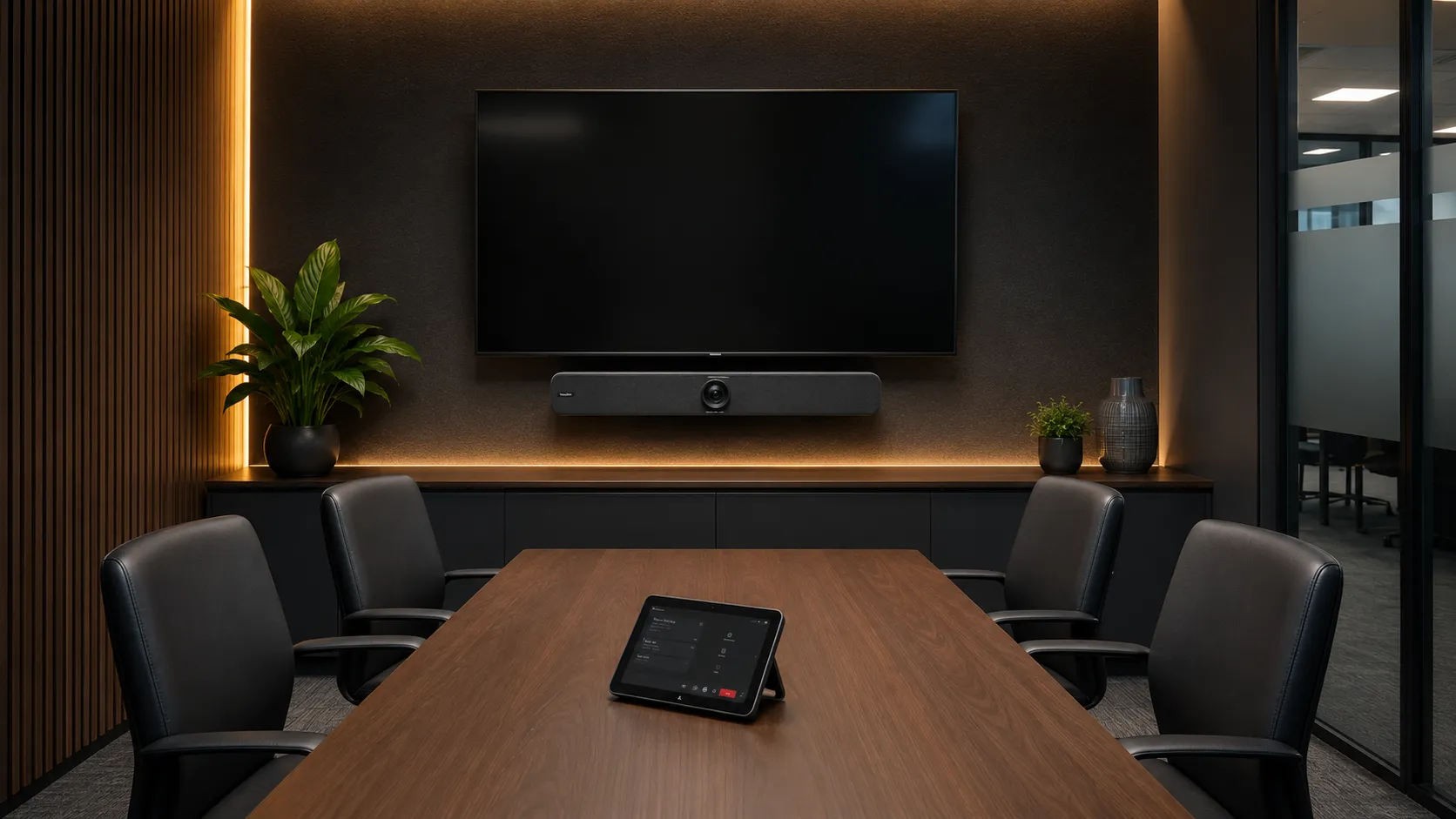
Yealink MeetingBar A10 & MeetingBar A20
These all-in-one Android bars are designed for compact rooms where simplicity matters. A single cable to the display, wide-angle camera coverage, and a built-in speakerphone make them genuinely easy to deploy and manage. The A20 adds a slightly wider microphone pickup and suits rooms where participants sit further from the display. Both are certified for Microsoft Teams Rooms and Zoom Rooms.
In smaller rooms, businesses often over-specify on camera resolution and under-invest in audio. The MeetingBar's built-in beamforming microphones handle most huddle spaces well — but if your room has hard glass walls, it's worth discussing acoustic treatment before you order hardware.
- MeetingBar A10
- MeetingBar A20
- Android
- Teams Certified
- Zoom Certified
- Huddle Rooms

Medium Meeting Rooms — 7 to 12 Participants
Hardware focus
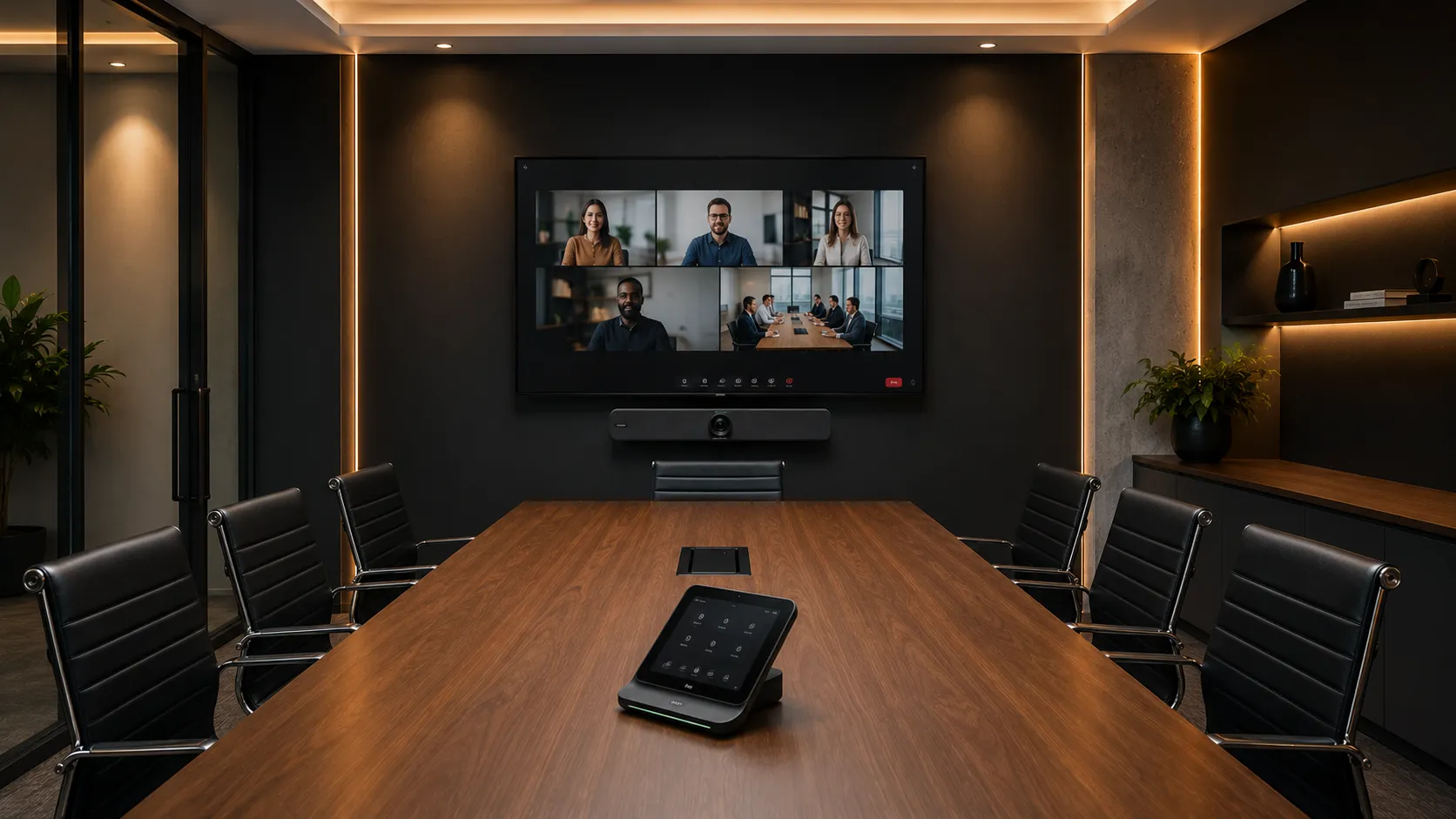
Yealink MeetingBar A30 & MVC S40
Rooms at this size need more camera reach and wider microphone coverage. The A30 handles most medium rooms as an all-in-one bar. For rooms where you want separate camera and compute — or dual display output — the MVC S40 kit gives you more configuration flexibility. Both support automatic speaker tracking so the camera follows the active voice rather than sitting static on a wide-angle shot.
Many businesses deploying into medium rooms for the first time underestimate how much table length affects microphone performance. If your room runs longer than six metres, we'd typically recommend adding a tabletop expansion microphone rather than relying on the bar's built-in pickup alone.
- MeetingBar A30
- MVC S40
- Speaker Tracking
- Dual Display
- Medium Rooms

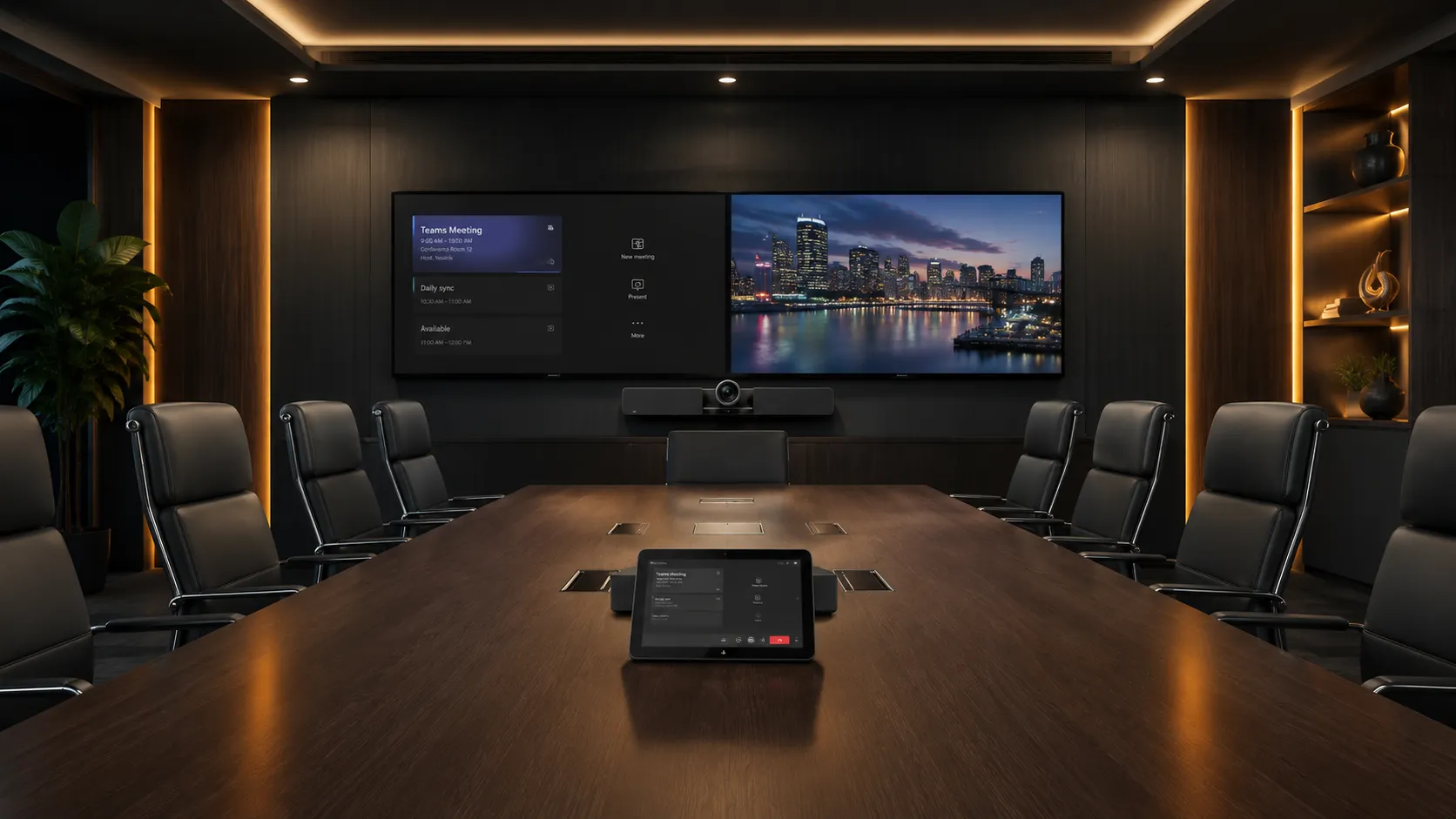
Large Boardrooms — 13 or More Participants
Hardware focus
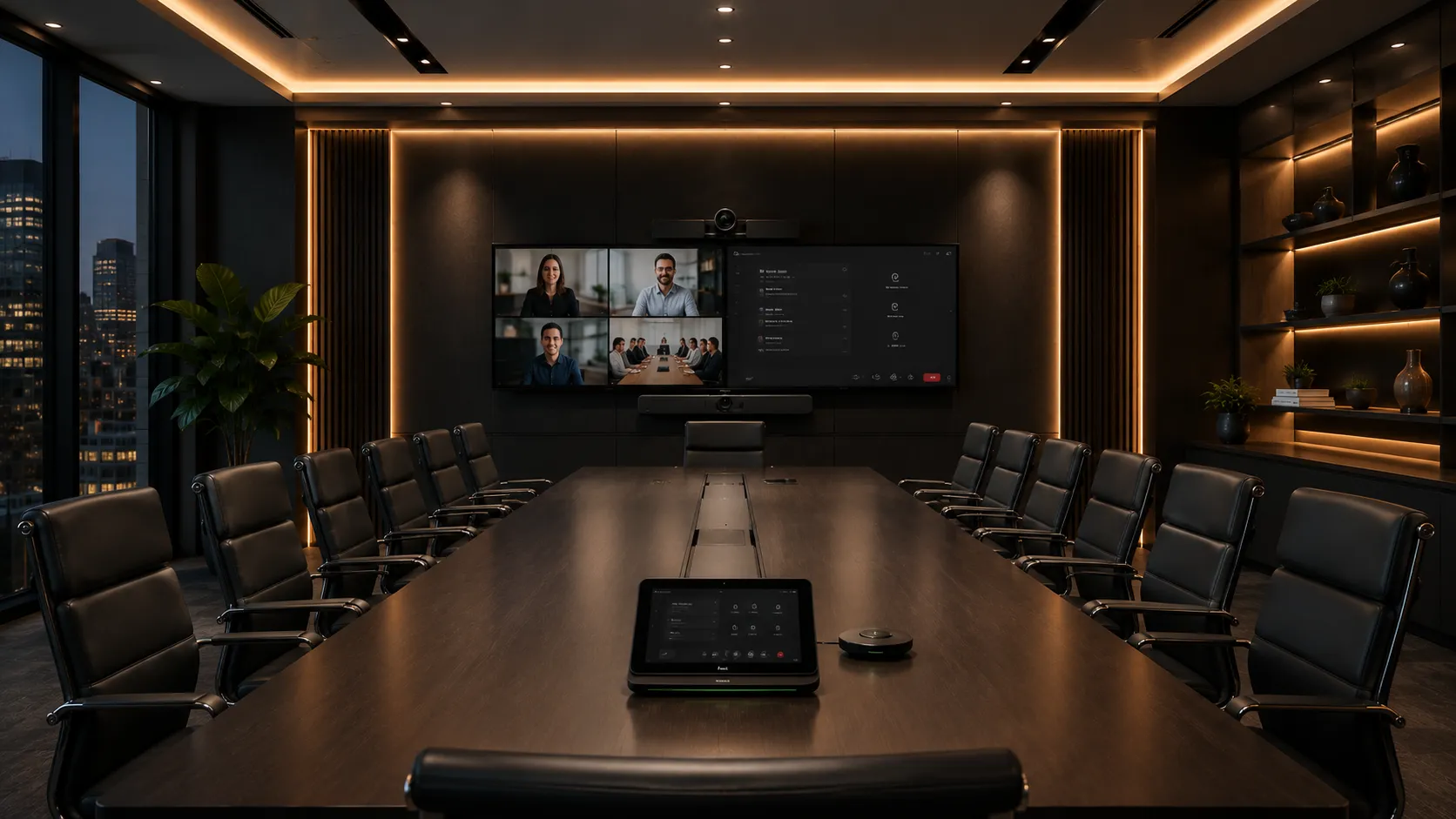
Yealink MVC S90 & MeetingBoard 65" / 86"
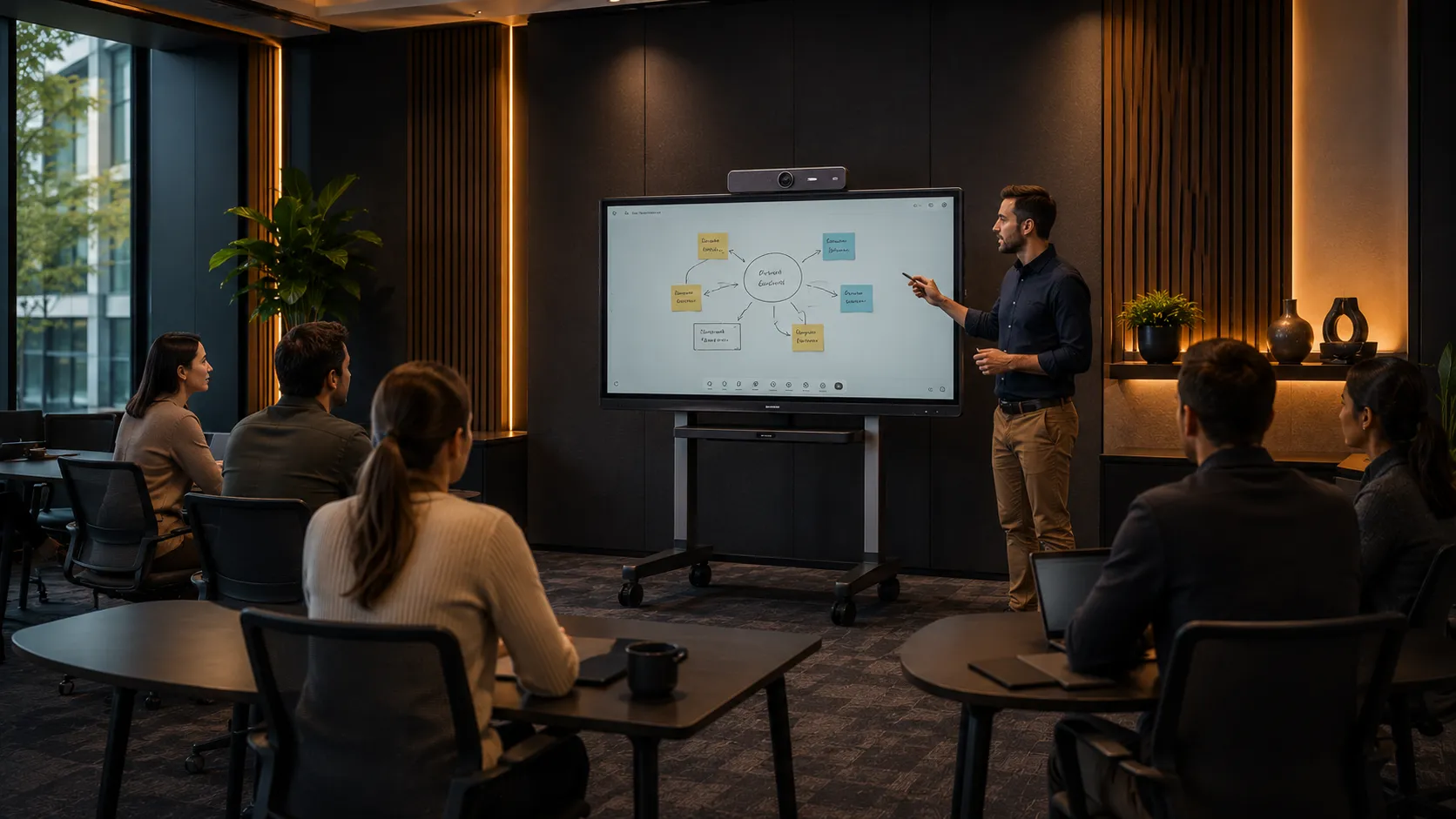
Large rooms are where Yealink's modular architecture earns its place. The MVC S90 pairs the UVC86 dual-camera tracking system — a fixed wide-angle lens combined with a PTZ optical crop — with cascading microphone arrays that extend acoustic coverage across the full table length. For rooms that also need interactive whiteboarding, the MeetingBoard replaces the display entirely and adds 20-point multi-touch, a built-in 4K camera, and wireless content sharing in a single chassis.
In larger rooms, microphone placement and room acoustics have more impact on meeting quality than camera resolution. We see more boardroom deployments fail on audio than on video — ceiling microphone placement, table geometry, and hard surface reflections are worth assessing before hardware is specified.
- MVC S90
- MeetingBoard
- UVC86
- PTZ Tracking
- Boardrooms

Training & Collaboration Spaces
Hardware focus
Yealink MeetingBoard (mobile) & MVC with PTZ
Training rooms present different challenges to standard meeting rooms — participants move, the presenter faces the room rather than the camera, and content sharing needs to work for both in-room and remote audiences simultaneously. The MeetingBoard on a mobile stand works well here, allowing the display to move between spaces. For fixed training rooms with tiered seating, a PTZ camera with preset positions is usually the better solution.
Businesses often try to adapt a standard meeting room configuration for training environments and find it falls short. Presenter tracking and wireless content sharing are the two features that matter most in a training room — they're worth specifying from the start rather than adding later.
- MeetingBoard
- Mobile Stand
- PTZ
- Presenter Tracking
- Training Rooms
Ready to Specify Your Yealink System?
Yealink systems are available across three purchase categories depending on what your room requires. Not sure which category fits your deployment? Talk to a specialist before you order.
Yealink Complete Room Systems
Yealink's all-in-one range covers every room size — from the compact MeetingBar A10 for huddle spaces through to the MVC S90 complete large room bundle. If you want a single integrated Yealink system that handles camera, audio and compute in one package, this is where to start. Suitable for small, medium and large rooms.
Browse All-In-One Systems →Yealink PTZ & Room Cameras
Yealink's PTZ camera range — including the UVC84 and UVC86 — are designed for large rooms and boardrooms where the camera needs to be specified independently from compute and audio. The UVC86 dual-camera system is the standard specification for rooms over 10 metres where presenter tracking is required alongside a fixed wide-angle shot.
Browse PTZ Cameras →Yealink Microphones & Audio Systems
Yealink microphone systems range from the compact CPT18 ceiling mic for medium rooms through to cascading beamforming arrays for large boardrooms. The VCM34 and VCM38 expansion mics work alongside Yealink MeetingBars where table coverage needs extending. Relevant at every room size — the right microphone specification matters more than most buyers expect.
Browse Microphones & Audio →Where Yealink Earns Its Place in Australian Enterprise Deployments
Every brand has a sweet spot. Yealink's is mid-to-large room deployments where you want a single vendor ecosystem, centralised management, and hardware that holds up across a multi-site rollout. Here is what we observe in real deployments.
Centralised Fleet Management
The Yealink Device Management Platform (YDMP) lets IT teams remotely provision, monitor, and update hardware across every site from a single console. For businesses with five or more meeting rooms — particularly across multiple locations — this reduces on-site support visits significantly.
Businesses managing ten or more rooms often find that centralised management pays for itself in the first year through reduced IT call-outs alone.
Consistent Interface Across Room Sizes
Yealink's certified hardware runs the same interface whether you're in a two-person huddle room or a twenty-seat boardroom. For organisations standardising across a commercial property portfolio, that consistency reduces training time and user friction considerably.
In multi-site organisations, the hidden cost of inconsistent room hardware is staff hesitation — people avoid rooms they're not familiar with, which defeats the investment entirely.
AI Camera Tracking That Actually Works
Automatic speaker tracking and multi-focus framing — where the video feed is intelligently split to show individual participants rather than a wide room shot — perform reliably in Yealink's mid and upper tier hardware. It is not a feature that works equally well across every brand or price point.
Remote participants in meetings with good speaker tracking tend to engage more actively. The wide-angle "bowling alley" view of a room is one of the most common complaints we hear from distributed teams.
Android Simplicity for Smaller Deployments
The Android-based MeetingBar range is genuinely simple to deploy and maintain. There is no Windows licensing to manage, updates are pushed centrally, and the hardware boots directly into Teams or Zoom Rooms. For organisations without dedicated IT support, this matters more than any camera specification.
Many smaller businesses deploying their first meeting room system are surprised by how much of the complexity in a Windows-based room system is software management rather than hardware. Android sidesteps most of it.
The MeetingBoard — When You Want to Replace the Display Entirely
The Yealink MeetingBoard is a category shift, not just another product. Rather than adding a camera and speakerphone to a standard display, the MeetingBoard replaces the display entirely — combining a 4K 20-point multi-touch surface, built-in wide-angle camera, integrated microphone array, native Teams and Zoom Rooms support, and wireless content sharing in a single chassis. Available in 65-inch and 86-inch sizes, wall-mounted or on a mobile stand.
For boardrooms that need interactive whiteboarding alongside video conferencing, or training rooms where the display needs to move between spaces, the MeetingBoard removes the need for a separate interactive display, a separate compute module, and a separate camera — simplifying both the installation and the ongoing management.
Businesses that have invested in separate interactive whiteboards and video conferencing systems often find they're managing two separate platforms, two separate support contracts, and two separate user interfaces in the same room. The MeetingBoard collapses all of that into one device — and one thing to troubleshoot when something goes wrong.
Where Yealink Stands in the Global Market
Five years ago, half of our distributors hadn't heard of Yealink. Today, every six months or so another one comes on board — and they don't just stock the range, they train their staff on it and back it commercially. That kind of distribution depth doesn't happen by accident. Yealink has been deliberate about getting their hardware in front of every potential sales channel in Australia, and it's working. The awards below are part of that story — industry recognition that keeps stacking up because the product keeps earning it.
Red Dot Design Award — MeetingBar A50 (Awarded as A60)
Red Dot Design Institute
Red Dot Design Award — MTower
Red Dot Design Institute
Best Communication & Collaboration Technology
Inavation Awards
Quality Cup — Best in Global Collaboration
PSNI Global Alliance
Best of Show — InfoComm Award Winner
AV Technology Magazine
Best of Show — InfoComm Award Winner
AV Technology Magazine
Global Tabletop Audio Conferencing Endpoint — Strategy Innovation & Leadership
Frost & Sullivan
Awards sourced from Yealink's official global awards programme. Older pre-2020 recognition not listed.
How Yealink Compares to Logitech, Poly and Jabra
The right brand depends on your room size, IT environment, and how much configuration you're comfortable managing. Here is an honest assessment based on what we see in real Australian deployments — not manufacturer marketing material.
Logitech
Logitech Rally Bar is the most commonly specified all-in-one bar in Australia — well-built, simple to deploy, and reliable in small to medium rooms. Where Yealink pulls ahead is in larger rooms and multi-site deployments. The modular MVC architecture gives more flexibility than a fixed bar, and YDMP centralised management is more developed than Logitech's Sync platform for large fleets.
If you're fitting out a single small or medium room, Logitech is a strong choice. If you're standardising across ten rooms in multiple locations, Yealink's ecosystem is worth the additional configuration investment.
Poly
Poly's strength has traditionally been in premium audio — particularly in acoustically difficult spaces with hard surfaces and challenging echo environments. Yealink matches Poly closely on audio in standard rooms and offers a broader product range at comparable price points. Poly's management platform has improved but still lags Yealink's YDMP for large fleet deployments.
In rooms with significant acoustic problems — glass walls, bare concrete, open ceilings — Poly's audio processing has historically had an edge. In a well-treated room, the gap narrows considerably.
Jabra
Jabra's PanaCast range is well-regarded for small huddle rooms — the 180-degree camera is genuinely useful for rooms where the camera cannot be mounted directly facing the table. For medium and large rooms, Jabra's hardware range is narrower than Yealink's, and the ecosystem depth for multi-room standardisation is more limited.
Jabra tends to be a strong choice for smaller businesses fitting out one or two rooms. For enterprise deployments requiring consistent management across a larger estate, Yealink's range and platform depth is more practical.
| Criterion | Yealink | Logitech | Poly | Jabra |
|---|---|---|---|---|
| Small rooms | Strong ✓ | Strong ✓ | Good | Strong ✓ |
| Medium rooms | Strong ✓ | Good | Good | Limited |
| Large boardrooms | Strong ✓ | Good | Good | Limited |
| Multi-site fleet management | Strong ✓ | Good | Improving | Basic |
| Audio in difficult rooms | Good | Good | Strong ✓ | Good |
| Deployment simplicity | Good | Strong ✓ | Good | Strong ✓ |
| Interactive display option | Yes — MeetingBoard Pro ✓ | No | No | No |
| Teams & Zoom certified | Both ✓ | Both | Both | Both |
After deploying Yealink systems across Australian businesses ranging from single-room setups to seven-room multi-site fitouts, the clearest observation we can offer is this: Yealink is the system we specify most consistently when an IT manager needs to standardise conferencing across multiple rooms and wants a single ecosystem that holds together under centralised management. Not because it is the cheapest option — it frequently isn't — but because the combination of hardware depth across every room size, YDMP fleet management, and Microsoft Teams certification makes it the most practical single-vendor solution for an IT team managing a multi-site estate.
Where Yealink earns its place most clearly is in deployments where the room inventory is mixed — large MeetingBoard Pros for collaborative spaces, A-series bars for smaller rooms, S-series kits for rooms requiring Windows compute — and every device needs to present the same Teams interface to staff regardless of which room they walk into. That consistency, managed centrally from a single platform, is what separates a well-specified Yealink estate from a collection of individual room systems that happen to share a brand name.
Note: "Audio in difficult rooms" refers specifically to acoustically challenging spaces — glass walls, bare concrete, open ceilings, long reverberant tables. Most standard Australian meeting rooms do not fall into this category. In a typical carpeted or treated room, Yealink's audio performance is excellent and the gap with Poly is minimal.
Compare all conferencing brands →Yealink for Microsoft Teams Rooms and Zoom Rooms
Yealink hardware is certified for both Microsoft Teams Rooms and Zoom Rooms. The product range covers both platforms well — but there are deployment differences worth understanding before you specify hardware.
Microsoft Teams Rooms
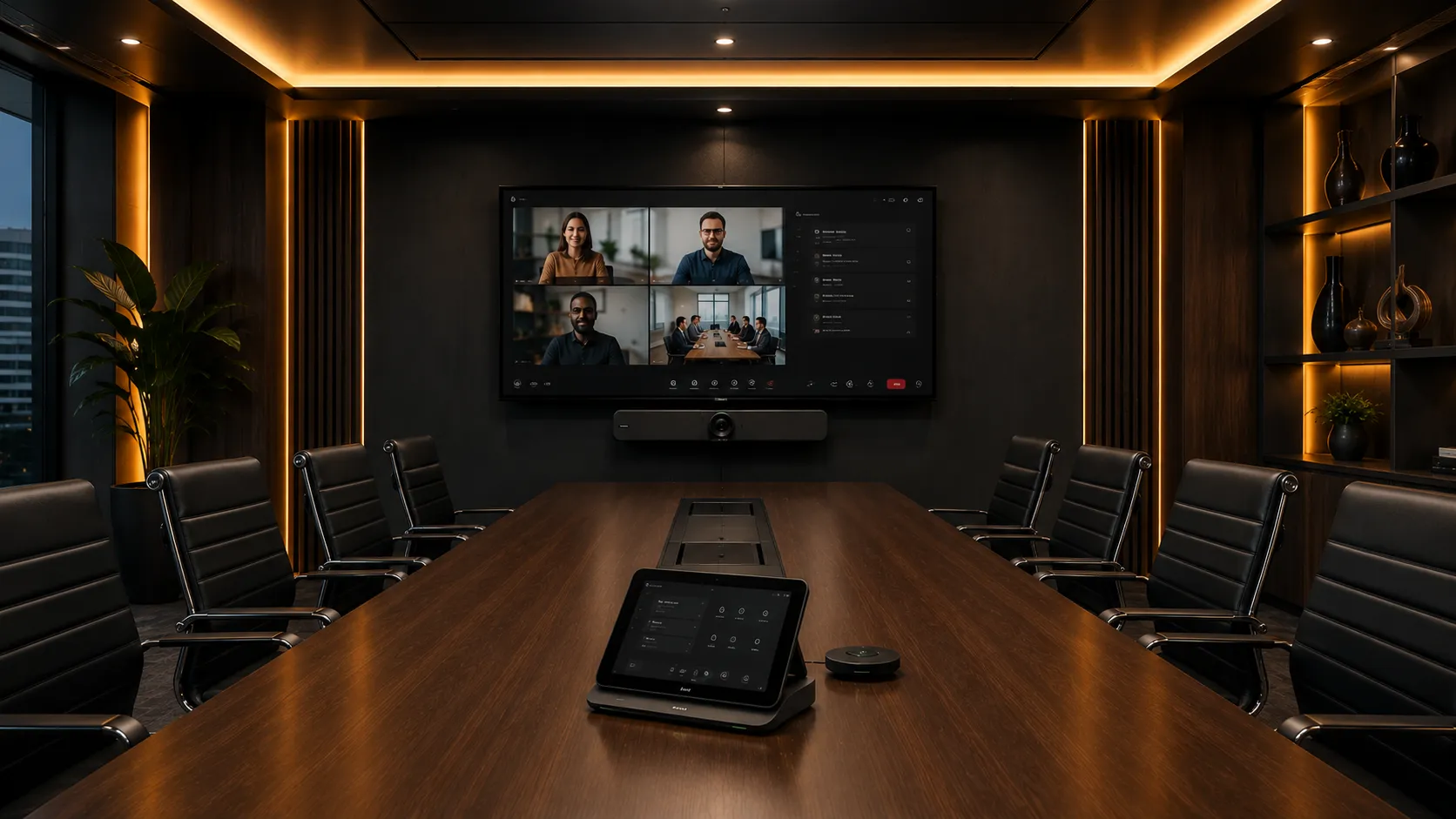
Yealink's MVC room kits and MeetingBar range are fully certified for Microsoft Teams Rooms. Hardware runs the native Teams interface — one-touch join, Outlook calendar integration, and remote management via both YDMP and the Microsoft Teams Admin Centre. The MVC S40 and S90 kits support Windows compute modules for maximum Teams feature parity in larger rooms.
- One-touch meeting join from room calendar
- Native Teams interface on tabletop console
- Remote management via Teams Admin Centre and YDMP
- Android compute (MeetingBar) or Windows compute (MVC kits)
- Real-time transcription and meeting summaries
- Certified across MeetingBar A10, A20, A30 and MVC range
Most Australian enterprise deployments run Microsoft Teams Rooms. If your organisation is standardised on Microsoft 365, Yealink's Teams-certified hardware integrates cleanly with your existing directory and calendar infrastructure.
Zoom Rooms
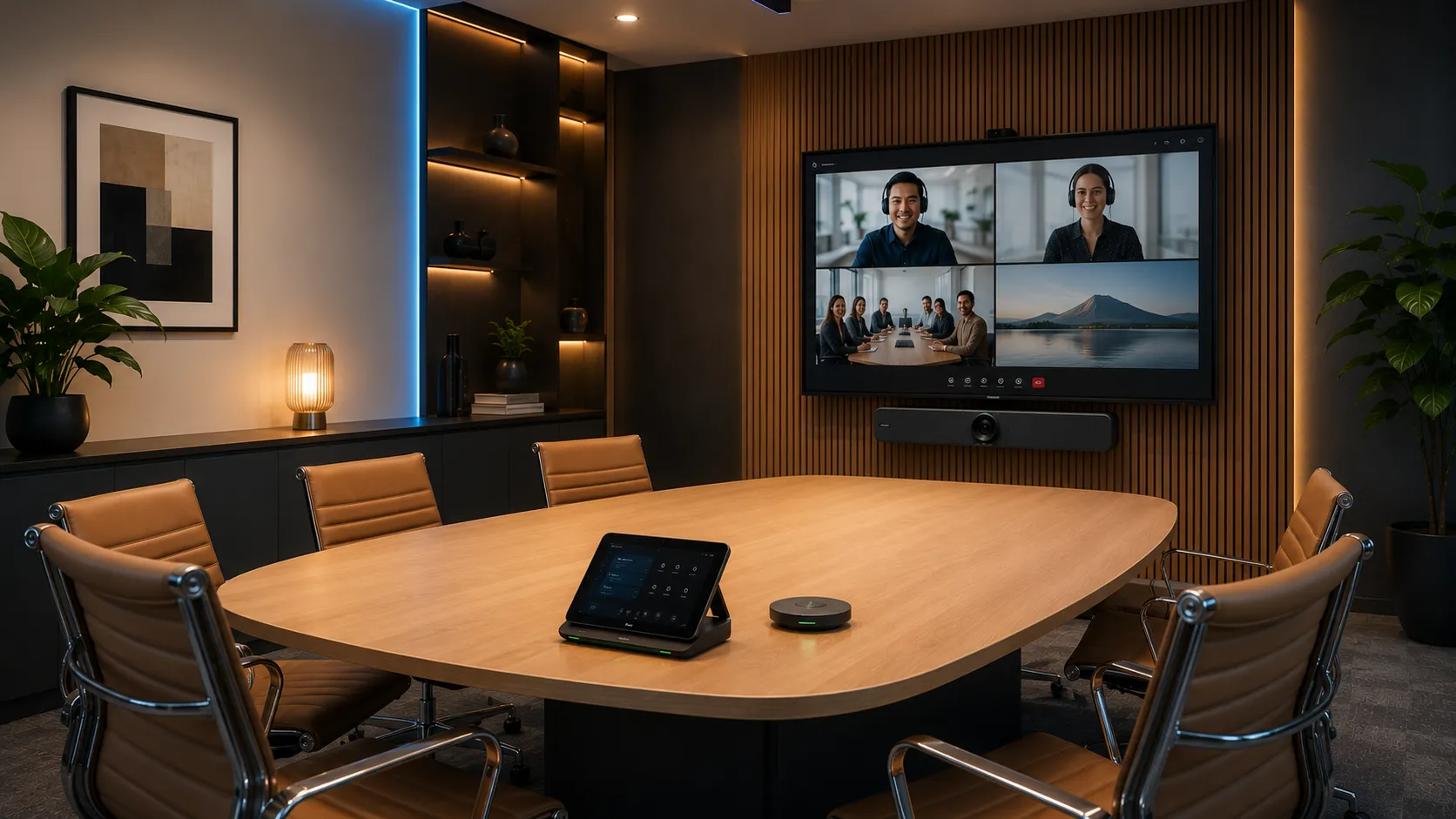
Yealink MeetingBar systems are certified for Zoom Rooms, running the native Zoom Rooms Android application. For organisations running Zoom as their primary platform, the MeetingBar A10, A20 and A30 deliver a clean Zoom Rooms experience — one-touch join, wireless content sharing, and simple touchscreen controls — without requiring a separate Windows compute module.
- One-touch join from Zoom Rooms controller
- Native Zoom Rooms Android application
- Wireless content sharing via Zoom and BYOD
- Simple deployment — no Windows licensing required
- Zoom-certified across MeetingBar A10, A20 and A30
- Central management via Zoom Device Management
Organisations running Zoom as their primary platform often find the Android-based MeetingBar deployment simpler than a Windows-based room system — fewer moving parts, faster setup, and straightforward central management via Zoom Device Management.
Switching a Yealink room between Microsoft Teams Rooms and Zoom Rooms requires a factory reset and full reconfiguration — it is not a hot-swap. If your business runs both platforms across different rooms, that is worth planning at the hardware specification stage rather than discovering it after deployment. We can help you map platform requirements to room assignments before any hardware is ordered.
How Kickstart Helped Bondi Sands Deploy Yealink Across Seven Rooms
Bondi Sands — the well-known Australian tanning and skincare brand — needed a conferencing solution across seven rooms at their Port Melbourne office. The brief covered a wide range of room types and sizes: large collaborative presentation spaces, individual executive offices, an innovation hub, and a kitchen breakout area. The requirement was not the cheapest system or the most premium system, but the right system for each room.
The deployment involved three Yealink MeetingBoard Pros — an 86-inch unit for the primary large meeting room (Icebergs) and two 65-inch units for mid-sized collaborative spaces (The Pavilion and North Bondi) — paired with Yealink MeetingBar A50 units for the executive offices and an MVC S40 room kit for the Innovation Hub and Kitchen. Every system was pre-staged for Microsoft Teams before leaving Kickstart, arriving ready to mount and connect.
What made this deployment instructive was the range of real-world variables it surfaced. Windows licensing on the OPS compute modules, PoE networking requirements for the CTP18 touch controllers, freight logistics to a second-floor office accessible only via car park, international stakeholder approvals from the US head office influencing hardware specifications mid-quote — these are the variables that don't appear on a spec sheet but determine whether a deployment goes smoothly or creates problems after installation.
The outcome was a consistent Microsoft Teams environment across all seven rooms, with hardware correctly matched to each space. The MeetingBoards gave the larger collaborative rooms an integrated display, camera, and compute solution without the complexity of separate components. The A50 bars gave the executive offices exactly what they needed — a capable, self-contained system that holds up in a medium-to-large room without over-specifying the smaller spaces.
Yealink MeetingBoard Pro 86"
Integrated display, 4K camera, beamforming mics, and Teams compute in one chassis. Additional UVC camera mounted above.
Yealink MeetingBoard Pro 65"
Same integrated approach at a size suited to the room. Wall-mounted, no floor stand required.
Yealink MeetingBar A50
Triple-eye camera, 16 built-in mics, CTP18 touch controller. Self-contained, no separate compute required.
Yealink MVC S40 Room Kit
Right-sized for the space. Same Teams interface as every other room in the building.
All systems — Teams pre-configured
Every device staged before delivery. Arrived ready to mount and power on.
"The deployments that go smoothly are the ones where the hardware is matched to the room before anything is ordered — not adjusted after installation. Yealink's range across MeetingBoard Pros, the A50, and MVC room kits makes that matching straightforward when the rooms are properly scoped from the start."
— Andrew McKiggan, Kickstart Computers. We pre-stage, deliver, and support Yealink deployments across Australia. Every system leaves us configured for your environment.
Yealink SIP Phones & Executive Devices
Yealink's desktop phone and headset range remains relevant for organisations running cloud PBX systems or needing executive office communication hardware as part of a broader workplace project.
Our primary focus is complete workplace deployments — multi-room fitouts, cloud PBX migrations, and executive suite upgrades. That said, we supply the full Yealink range including desktop phones and headsets, and we're frequently competitive on price across Australia. Give Andrew a call on 0416 353 501 and he'll point you in the right direction.
Executive Office Desktop Terminals
Hardware examples
Yealink T57W & MP58
Flagship touchscreen communication terminals for senior management suites and director offices. Large adjustable displays, integrated Wi-Fi, native Teams or SIP connectivity, and executive assistant bridging capabilities. Deployed as part of executive suite upgrades or complete floor fitouts.
In most executive deployments, the phone is one component of a broader desk and room upgrade. Specifying it alongside the room hardware keeps the management platform consistent.
Commercial Fleet Deployments
Hardware examples
Yealink T4 & T5 Series
Standardised SIP endpoints for high-volume corporate departments, reception desks and operational teams. Reliable, centrally managed, and suited to cloud PBX platforms including 3CX, Microsoft Teams Phone and Cisco. Deployed as part of multi-site communication rollouts rather than individual unit sales.
Businesses migrating from legacy on-premise PBX to cloud telephony often find that standardising on a single handset model across all desks significantly reduces helpdesk call volume from staff unfamiliar with different devices.
Wireless Headsets & Workstation Peripherals
Hardware examples
Yealink WH66 Series
Professional wireless headsets for staff who spend significant time on calls — contact centre teams, account managers, reception staff. The WH66 includes a built-in touch control screen, full-duplex speakerphone, and integrated mobile phone charging. Supplied as part of workplace communication projects alongside room and desk hardware.
Headsets are often the last item on a workplace fitout list and the first thing staff complain about. Specifying them at the project stage rather than as an afterthought tends to produce better outcomes for call-heavy teams.
Why Choose Kickstart for Your Yealink Deployment
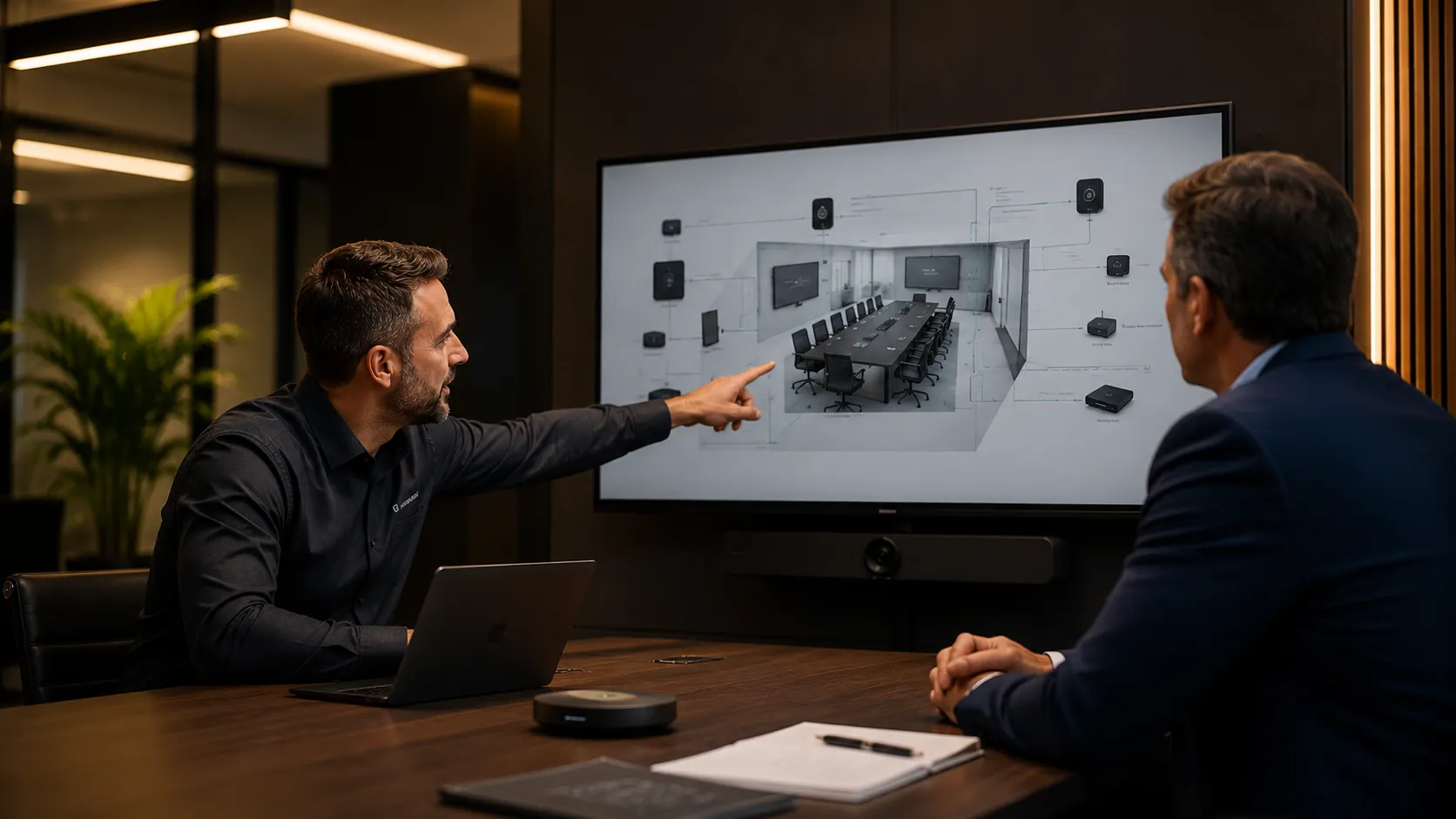
Yealink hardware performs well when it is specified correctly for the room. The variables that determine whether a deployment works — room dimensions, acoustic treatment, microphone placement, network stability, cable management — are not on a spec sheet.
Independent Advice, Not Brand Preference
We are not a Yealink-exclusive reseller. We specify Yealink where it is the right fit and recommend alternatives where it is not. Our starting point is your room, your budget, and your IT environment. If Logitech or Poly suits your rooms better, we will tell you. If Yealink is the right choice, we will explain exactly why.
Pre-Configuration Before Delivery
Hardware arrives pre-configured and tested before it leaves us. Every system is set up, named, and verified against your Teams or Zoom environment before deployment. We do not ship boxes and leave installation to your team — or your IT person's weekend.
Post-Deployment Support From the Same Team
When something needs attention after installation — and across enough deployments, something always does — you are talking to the same people who specified and built the system. Not a helpdesk reading from a script. Direct contact, Australian based, with full context of your deployment.
Kickstart Computers has been supplying and deploying business technology for Australian organisations since 2007. Independent advice, no brand exclusivity, and support from the same team across the life of your deployment.
Speak with Andrew McKiggan directly on 0416 353 501 — or use the contact form below.
Frequently Asked Questions About Yealink Deployments
Questions we hear regularly from Australian businesses planning a Yealink Teams Rooms or Zoom Rooms deployment.
Where can I buy Yealink Microsoft Teams Rooms in Australia?
+Kickstart Computers supplies and deploys Yealink Microsoft Teams Rooms across Australia, including MeetingBar systems, MVC room kits, MeetingBoard collaboration displays, and enterprise conferencing infrastructure. Solutions are tailored around room size, acoustic requirements, and platform compatibility rather than sold as generic off-the-shelf packages.
Because these systems require specific firmware provisioning and network alignment to function reliably with your Microsoft 365 or Zoom environment, we provide end-to-end hardware supply and pre-delivery staging rather than simple box shipping.
What is the difference between a Yealink MeetingBar and an MVC room kit?
+The difference comes down to physical architecture. MeetingBar systems — the A10, A20, and A30 — are all-in-one video bars. The camera, microphones, speakers, and Android compute are integrated into a single chassis that mounts above or below your display. Simple to deploy, minimal cabling, suited to small and medium rooms.
MVC systems are modular room kits. They separate the components — a dedicated Windows compute module, a standalone PTZ camera, and separate tabletop or ceiling microphone arrays. That separation gives you far greater configuration flexibility and is the standard choice for large boardrooms or complex spaces where an all-in-one bar cannot provide adequate audio or video coverage across the full room.
How does Yealink compare to Logitech for Australian businesses?
+Both are among the most widely deployed conferencing brands in Australia, but they suit different deployment strategies. Logitech performs strongly in small to medium rooms — the Rally Bar range is well-built, simple to deploy, and reliable. In smaller rooms, the difference between the two is narrower.
Yealink pulls ahead in large boardrooms and multi-site corporate deployments. The modular MVC architecture gives more configuration flexibility than a fixed all-in-one bar, and the Yealink Device Management Platform (YDMP) offers deeper fleet management capability for organisations standardising across multiple locations. If you are fitting out a single medium room, either brand is a reasonable choice. If you are standardising across ten or more rooms, Yealink's ecosystem depth is worth the additional specification investment.
Are Yealink Teams Rooms suitable for Australian boardrooms and hybrid workplaces?
+Yes — and this is where Yealink has built much of its Australian market position. The MVC S40 and S90 room kits are specifically engineered for mid-to-large boardroom environments, with modular microphone arrays, PTZ camera tracking, and dual display support that smaller all-in-one systems cannot match.
For hybrid workplaces where some staff are always remote, Yealink's AI speaker tracking and multi-focus framing makes a genuine difference to how engaged remote participants feel in a meeting. Many Australian businesses deploying Yealink across multiple interstate offices also benefit from the centralised management platform, allowing a central IT team to monitor and update rooms across the country without travelling to each site.
Can Yealink hardware run both Microsoft Teams Rooms and Zoom Rooms?
+Yes, but not simultaneously. Most Yealink hardware is certified for both platforms — the MeetingBar range in particular carries both Teams and Zoom Rooms certification. The system is configured for one platform at a time, booting directly into that platform's native interface.
If your organisation runs both Teams and Zoom across different rooms, Yealink hardware can cover both — but the platform assignment needs to be planned at the specification stage. Switching a room between platforms requires a factory reset and reconfiguration rather than a simple toggle in the settings menu.
Which Yealink system is best for a large boardroom with 14 or more seats?
+The Yealink MVC S90 is the most commonly deployed configuration for large Australian boardrooms. It features the UVC86 dual-camera tracking system — a fixed wide-angle lens combined with an optical PTZ tracking camera — that maintains clear coverage across long tables without requiring manual camera adjustment.
For rooms of this size, the MVC S90 is typically paired with cascading VCM36 tabletop microphones or ceiling-mounted arrays to guarantee full audio coverage up to 15 metres. Getting the microphone placement right in a large room matters more to overall meeting quality than any camera specification — it is always worth an acoustic assessment before hardware is finalised.
What is the Yealink MeetingBoard and how is it different from a standard display?
+A standard commercial display is a passive screen — it shows what you send to it and nothing more. The Yealink MeetingBoard is a different category of device entirely. It combines a 4K 20-point multi-touch surface, a built-in wide-angle camera, integrated beamforming microphones, speakers, and a native Teams or Zoom Rooms compute engine into a single chassis.
Available in 65-inch and 86-inch sizes, it can be wall-mounted or placed on a mobile stand. In practical terms, it means a room that previously needed a separate display, a separate camera, a separate speakerphone, and a separate compute module can be replaced with one device — simplifying installation, reducing cable management complexity, and leaving you one thing to manage rather than four when something needs attention.
Does Yealink work without a dedicated IT team to manage it?
+Yes, provided you choose the right hardware tier. The Android-based MeetingBar range — A10, A20, A30 — is designed for businesses without on-site IT support. The hardware boots directly into Teams or Zoom Rooms, handles updates automatically over the network, and is stable enough that many deployments run for extended periods without requiring any manual intervention.
For businesses managing larger numbers of rooms across multiple sites, the Yealink Device Management Platform (YDMP) allows off-site administrators or external partners to monitor, update, and troubleshoot hardware remotely — without anyone needing to physically visit each room.
What is the difference between a Yealink Teams device and a SIP phone?
+It comes down to communication protocols and what the device connects to. A Yealink Teams device runs Microsoft firmware and connects directly to your Microsoft 365 cloud environment — it shows your Outlook calendar, Teams contacts, user presence states, and lets you join meetings with a single touch on the screen.
A Yealink SIP phone connects via standard internet telephony protocols to a cloud PBX platform such as 3CX or Cisco for traditional voice calls. Both have their place — Teams devices suit organisations standardised on Microsoft 365, while SIP phones suit organisations running a dedicated cloud telephony platform alongside or instead of Teams.
Can you switch a Yealink room between Teams Rooms and Zoom Rooms?
+Yes, but it is not a simple toggle. Switching a Yealink room between Microsoft Teams Rooms and Zoom Rooms requires a factory reset and full reconfiguration against the new platform — the underlying firmware and provisioning are different for each.
It is not something that happens by accident, but it is also not something you want to discover mid-project after hardware has already been installed. If your business runs both platforms across different rooms, or is considering a platform migration in the next year or two, that is worth discussing at the specification stage so the room assignments and hardware configurations are planned accordingly.
Do you sell individual Yealink handsets or only full room systems?
+Our primary focus is complete workplace deployments — multi-room fitouts, cloud PBX migrations, and executive suite upgrades. That said, we supply the full Yealink range including desktop phones and headsets, and we are frequently competitive on price across Australia.
Give Andrew a call on 0416 353 501 and he will point you in the right direction.
Talk to a Kickstart Specialist
Before You Order Yealink
Yealink systems span every room size and budget — but the wrong model for your room dimensions costs more to fix than to get right first time. Talk to us before you order and we'll confirm the correct specification for your space, platform and deployment requirements.
- Australian Business Since 2007
- Pre-Configuration Available
- No Lock-In Contracts
- Expert Advice Before You Buy
Or call Andrew directly on 0416 353 501
Kickstart Computers — Australian business since 2007
Yealink is one of the strongest brands in the market — but it's not the right fit for every room or every budget. Tell us your room size, how you plan to use it and what you're looking to spend, and we're happy to point you in the right direction — even if that's a different brand entirely. Get in touch →
