Logitech Video Conferencing

Jump Ahead Too

Logitech Video Conferencing Systems for Australian Businesses


Independent, deployment-aware advice on Logitech Rally Bar, Rally Bar Mini, RoomMate and meeting room solutions — helping Australian businesses navigate conferencing technology and choose the right systems for Microsoft Teams Rooms, Zoom Rooms and hybrid collaboration spaces.

  • Helping Australian Businesses Since 2007
  • Independent Multi-Brand Advice
  • Teams & Zoom Rooms Certified
  • Australia-Wide Deployment Support
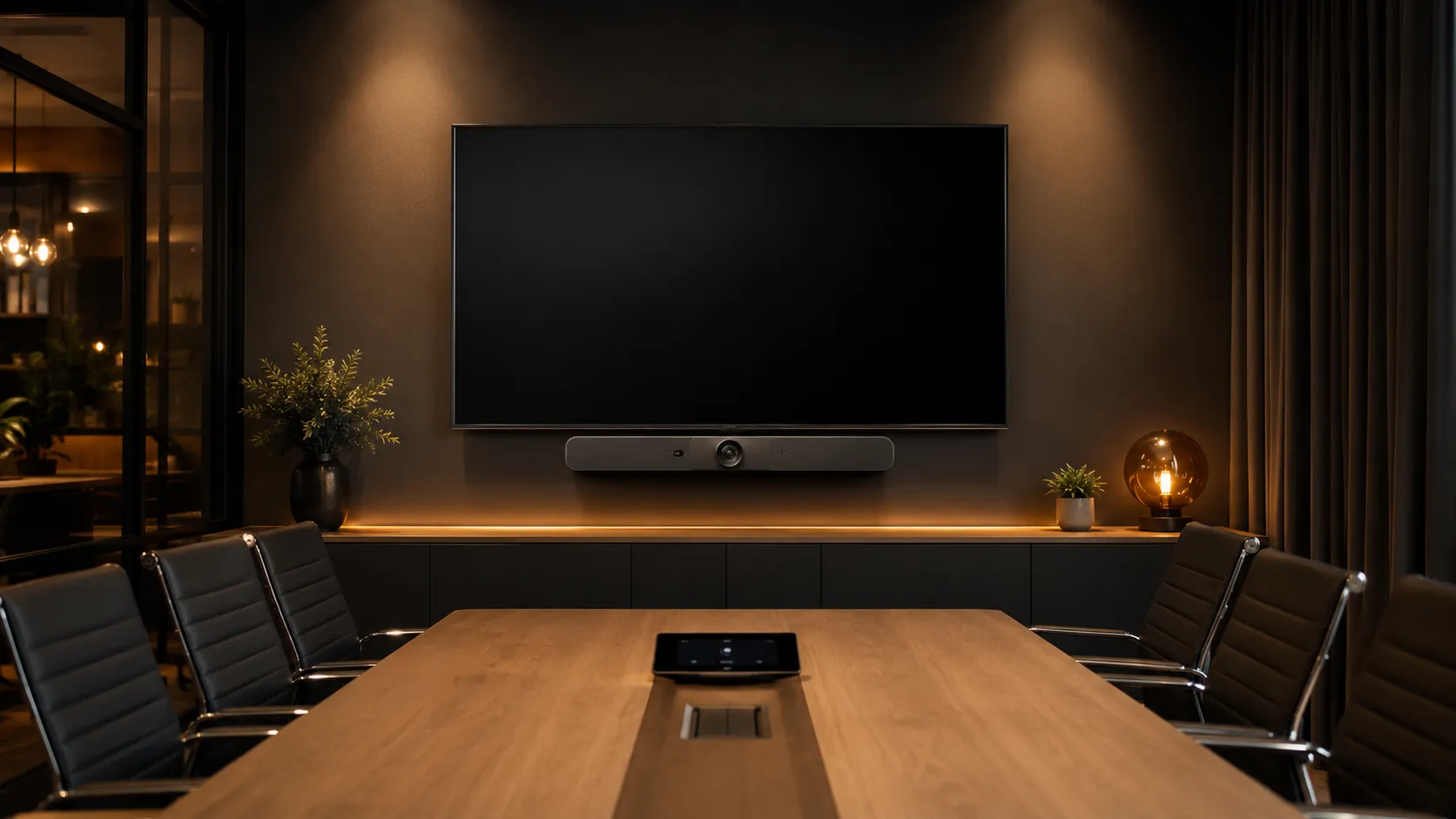
Logitech Rally Bar video conferencing system installed in a modern Australian meeting room with warm ambient lighting
Key Takeaways

Who Should Choose Logitech for Video Conferencing?


Best for: Standard meeting rooms, Microsoft Teams and Zoom standardisation, multi-site rollouts, and businesses that value deployment simplicity over lowest unit cost.

Logitech video conferencing systems suit businesses that prioritise ecosystem consistency, a clean controller experience and mature platform certification across both Microsoft Teams Rooms and Zoom Rooms. They're strongest in standard meeting rooms and multi-site rollouts where centralised management matters more than squeezing the lowest price per room. That said, Logitech isn't always the right answer for every space — particularly where acoustics, budget or advanced multi-camera requirements are the primary driver.

01 — Strengths

What Logitech Does Best

Logitech's core advantage is ecosystem maturity. The hardware, controllers and management tools are designed to work together seamlessly — creating a consistent experience that IT teams can standardise across multiple rooms and sites.

  • Ecosystem Consistency
  • Clean Controller UX
  • Broad Platform Certification
  • Android Appliance Maturity
  • Centralised Management via Sync
  • Premium Industrial Design

In most standard meeting rooms, Logitech's appliance-based deployment covers video, audio, compute and control without additional hardware — which simplifies support overhead significantly for multi-room rollouts.

02 — Best Fit

Who Logitech Suits Best

Logitech conferencing is strongest when businesses need a reliable, repeatable system that works the same way in every room — particularly across Teams or Zoom standardised environments.

  • Standard Meeting Rooms
  • Teams / Zoom Standardisation
  • Deployment Simplicity
  • Multi-Site Rollouts
  • Centralised IT Management
  • Premium Finish Requirement

Businesses running a mix of room sizes often find Logitech covers 80% of their spaces with Rally Bar Mini and Rally Bar alone — the decision point comes with the largest or most complex room.

03 — Considerations

What to Watch For

Logitech is a premium-priced ecosystem. It's excellent value when the room requirements match — but not always the most cost-effective or technically suitable option for every space in an organisation.

  • Higher Price Point
  • Multi-Camera Limits on Android
  • Windows Compute for Complex Rooms
  • Not Always Best for Acoustics
  • Expansion Planning Required

In our experience helping Australian businesses scope conferencing projects, the most common mistake is standardising every room on the same hardware tier. Smaller spaces are frequently over-specified, and the largest room is often under-specified — both are easier to get right at the planning stage than to fix after installation.

Read frequently asked questions about Logitech conferencing →
Why the hardware feels different

Thirty Years of Engineering Hardware People Actually Trust

Logitech didn't arrive in the conferencing market as a software company adding hardware as an afterthought. The company's roots are in physical hardware engineering — sound cards, headsets, mice, keyboards — products where the quality of the object in your hand is the entire value proposition. That background matters when you're evaluating a video bar that needs to perform reliably in a boardroom for the next five years.

What that heritage produces in practice is hardware that feels considered rather than specified. The Rally Bar's industrial design, the weight and responsiveness of the Tap IP controller, the way the audio processing holds up in a room that wasn't acoustically designed for video calls — these aren't accidents. They reflect decades of manufacturing discipline that most pure-software companies entering the hardware space don't carry.

The honest commercial observation from our side: Logitech's pedigree does contribute to its price point. Businesses sometimes pay a modest premium for the brand's engineering reputation — in the same way that certain professional tools cost more not because the materials are dramatically different, but because the manufacturer's track record reduces the risk of the decision. In most standard meeting rooms, that premium is justified. In budget-sensitive multi-room deployments, it's worth weighing against alternatives. We'll tell you which situation you're in.

1981

Founded on Hardware Engineering

Logitech was founded as a hardware company — building physical peripherals at a time when software defined what computers could do, but hardware determined how well people could use them.

1990s

Audio Engineering Roots

Sound cards, PC speakers, and headsets established Logitech's audio engineering discipline — the same discipline that now sits inside every Rally Bar microphone array and speaker system.

2000s

World Leader in PC Peripherals

Mice, keyboards, webcams, and controllers — Logitech became the benchmark for hardware that people interact with daily. The emphasis on durability and user experience became embedded in the manufacturing culture.

2011

30th Anniversary — Full Peripheral Portfolio

Celebrating three decades, Logitech had built the world's most comprehensive peripheral portfolio — a foundation that directly informed the engineering approach brought to the conferencing market.

Now

Rally Bar — Hardware Pedigree Applied to Conferencing

The Rally Bar range carries 40+ years of hardware manufacturing discipline into the meeting room. It shows in the build quality, the audio consistency, and the reliability of a system that simply works the same way every time.

Logitech celebrated its 30th anniversary in 2011 — by which point it had already established the peripheral engineering foundations that underpin its conferencing range today.

Product Range

Logitech Video Conferencing Products


Range includes: Rally Bar Mini, Rally Bar, RoomMate compute appliance, Tap IP controller, and Sight centre-of-table camera — covering rooms from huddle spaces to large boardrooms.

Logitech's conferencing range is one of the more tightly integrated ecosystems in the market — every product is designed to work together, from the video bar through to the controller and compute appliance. The core lineup covers rooms from two-person huddle spaces to 16-seat boardrooms, with expansion options for larger or more complex environments.

Having deployed Logitech systems across a wide range of Australian office environments, the most consistent observation is how well the hardware and controller experience holds together once you stay within the Logitech ecosystem. Where businesses run into issues is usually when mixing Logitech with non-Logitech peripherals or expecting appliance-mode hardware to handle room configurations it wasn't designed for.
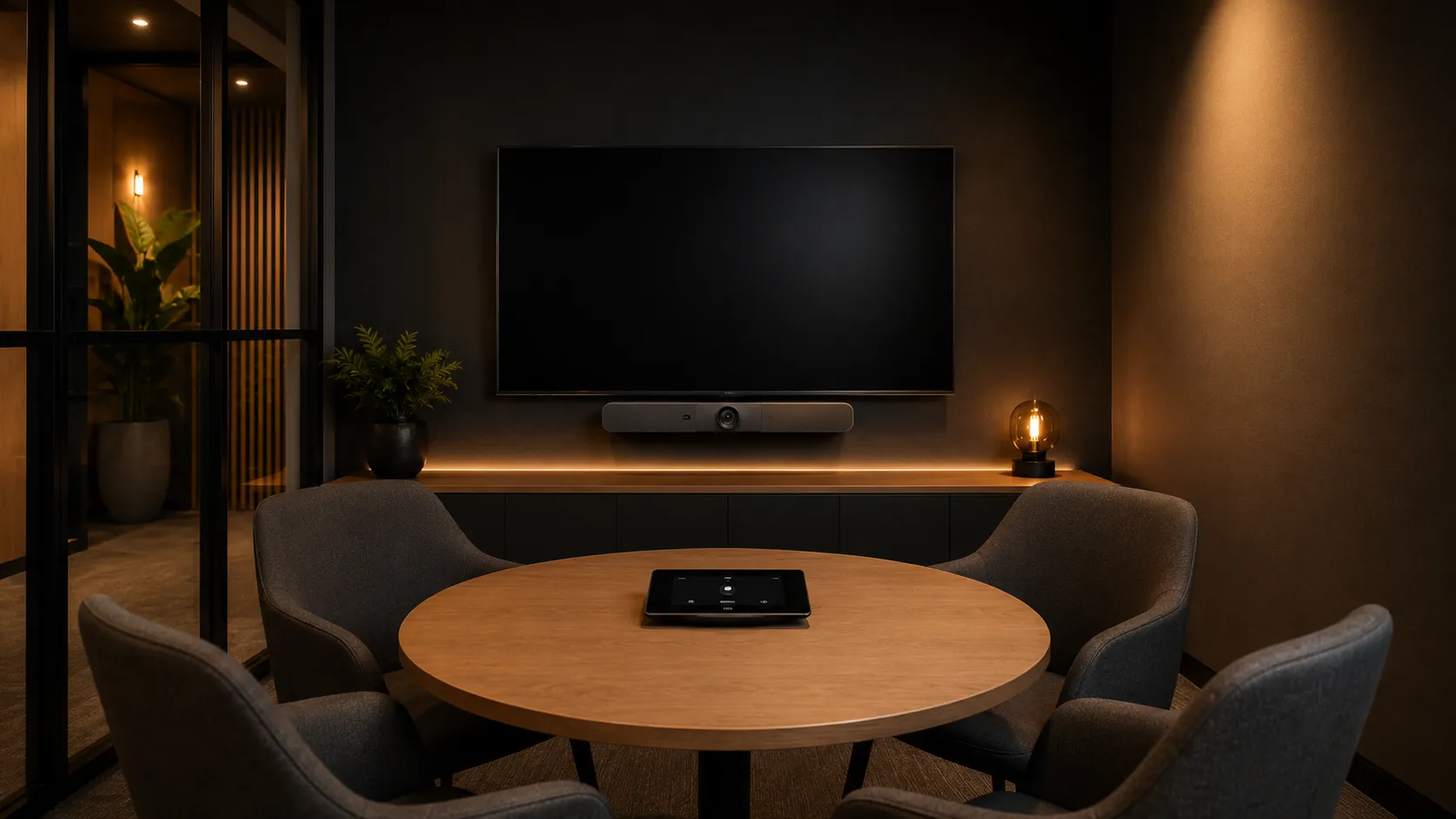
Logitech Rally Bar Mini installed in a small Australian huddle room for video conferencing
01 — Small Rooms

Logitech Rally Bar Mini

Huddle rooms & small meeting spaces · Up to 6 participants

The Rally Bar Mini is Logitech's all-in-one video conferencing bar designed for huddle rooms and small meeting spaces. It handles video, audio and compute in a single device — running natively on Android for Teams Rooms or Zoom Rooms without a separate computer.

  • All-in-One
  • Android Appliance
  • Teams Certified
  • Zoom Certified
  • AI Auto-Framing
  • USB Mode Available

Many businesses over-specify huddle rooms. In most Australian offices we see, the Rally Bar Mini handles small spaces comfortably without expansion hardware — and the cost saving across a multi-room rollout is significant.
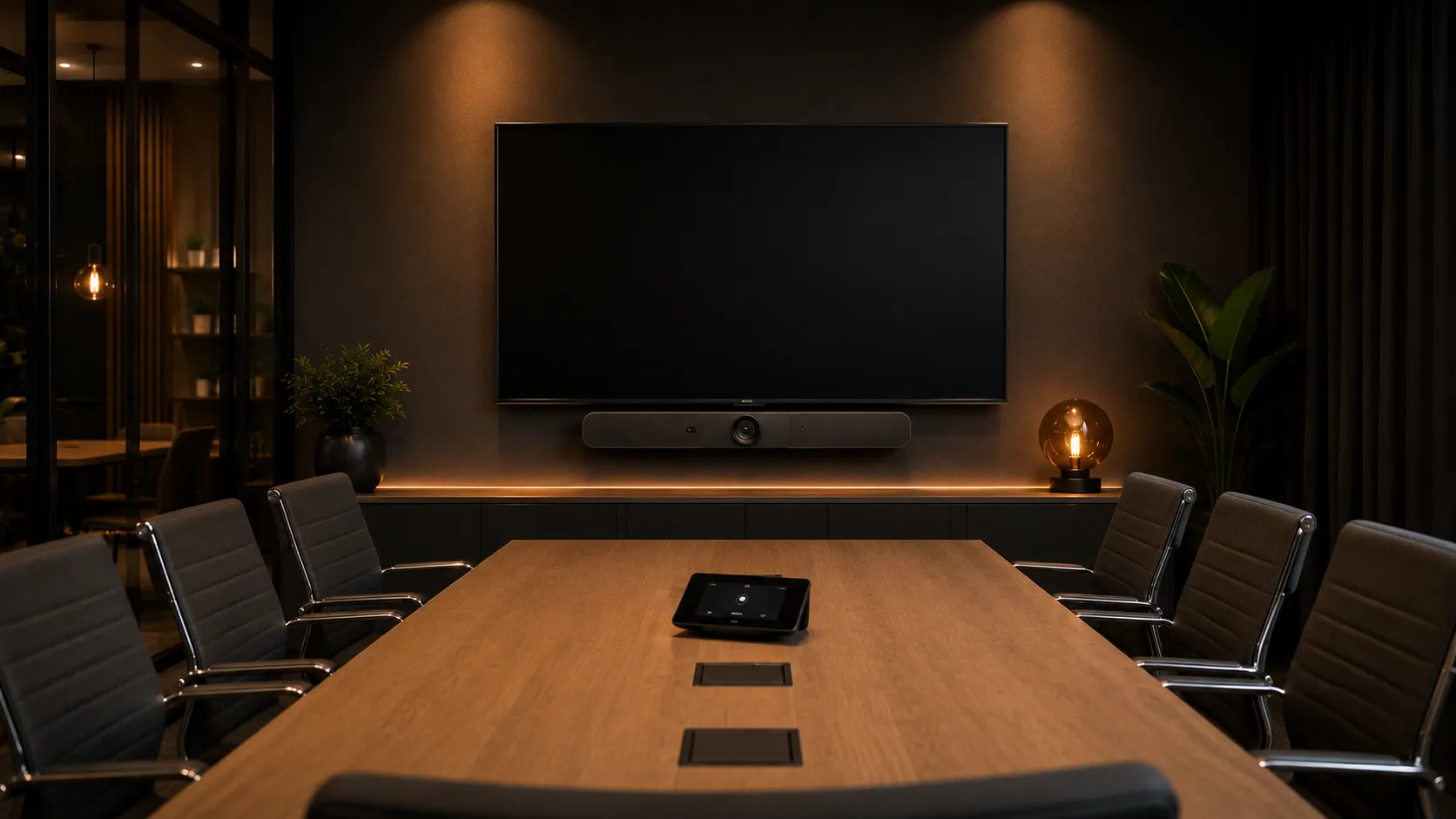
Logitech Rally Bar video conferencing system in a medium Australian meeting room
02 — Medium Rooms

Logitech Rally Bar

Medium meeting rooms · 6–10 participants

The Rally Bar is Logitech's primary conferencing system for medium meeting rooms, featuring a dual-camera system, wider field of view and expansion microphone support. It runs as an Android appliance or connects to a Windows compute unit for more complex deployments.

  • Dual Camera System
  • Expansion Mic Support
  • Android or Windows
  • Teams Certified
  • Zoom Certified
  • AI Speaker Tracking

In most standard meeting rooms we deploy, the Rally Bar running as an Android appliance covers everything without a separate compute unit. It's the most common configuration we recommend for medium-sized spaces.

Logitech Rally Bar with expansion microphones in a large Australian boardroom
03 — Large Rooms

Logitech Rally Bar with Expansion Microphones

Large boardrooms · 10–16 participants

The Rally Bar with expansion mic pods extends audio pickup to cover boardrooms and large meeting rooms. The satellite microphones sit on the table to capture participants further from the video bar — essential for rooms longer than about five metres.

  • Expansion Mic Pods
  • Extended Audio Pickup
  • Boardroom Scale
  • Teams Certified
  • Zoom Certified
  • Beamforming Audio

Businesses often assume they need a completely different platform for boardrooms. In practice, Rally Bar with expansion mics handles more large rooms than expected — the key is getting microphone placement right during installation, not upgrading to a higher-tier system.
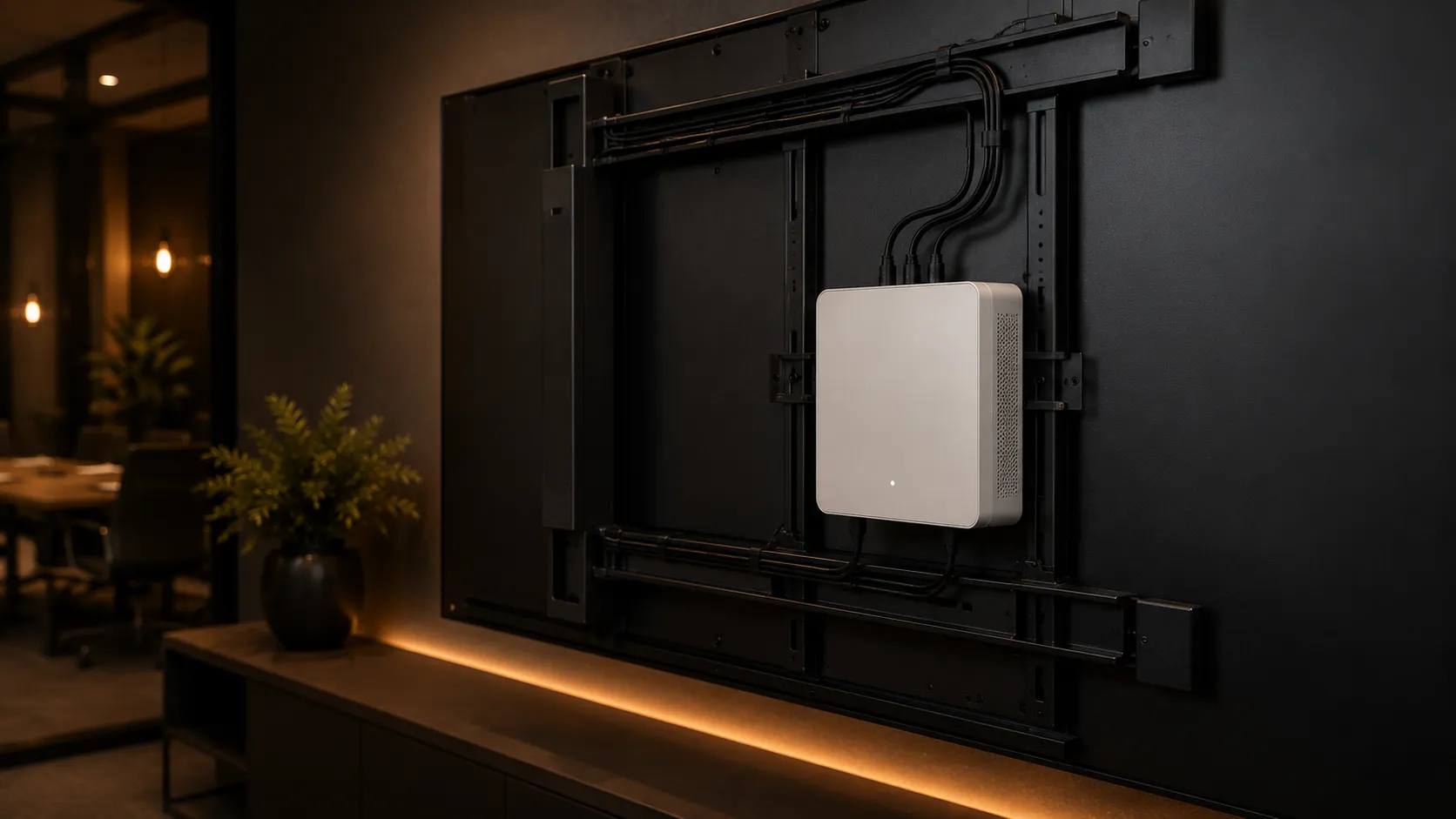
Logitech RoomMate compute appliance mounted behind a meeting room display
04 — Compute Appliance

Logitech RoomMate

Any room size · Dedicated Android compute

RoomMate is Logitech's dedicated compute appliance that mounts behind a display, decoupling room processing from the video bar. It runs Teams Rooms or Zoom Rooms on Android and connects to Logitech cameras, audio devices and controllers via USB and network.

  • Behind-Display Mount
  • Android Compute
  • HDMI-CEC Display Control
  • Teams Certified
  • Zoom Certified
  • Managed via Sync

RoomMate makes sense when you want to decouple the camera from the compute — useful for rooms where the bar and the controller are the only visible hardware and you want the processing hidden behind the screen.
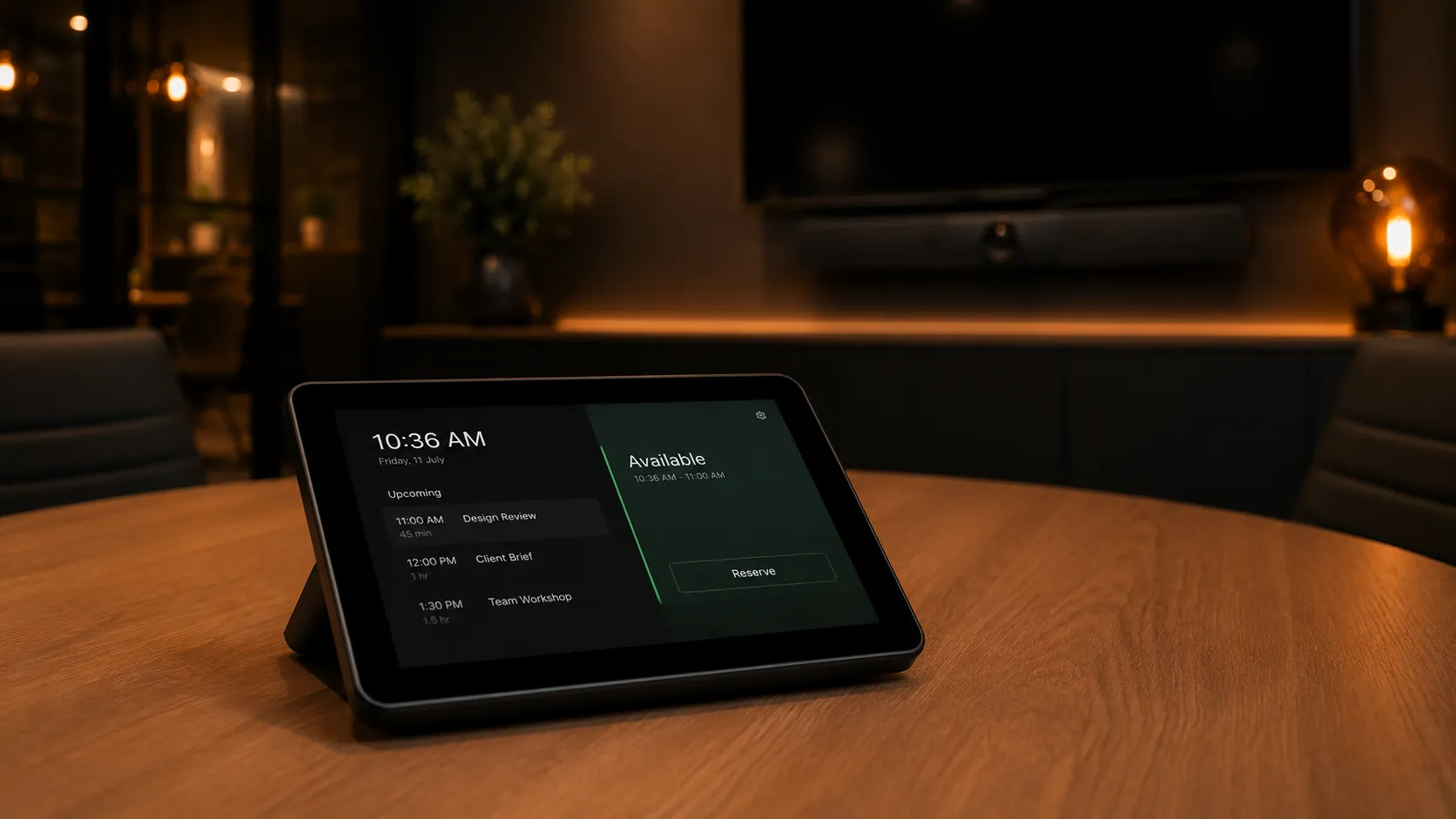
Logitech Tap IP touch controller on a meeting room table showing room scheduling interface
05 — Room Controller

Logitech Tap IP

Any room size · Touch controller & scheduling

Tap IP is Logitech's network-connected touch controller for Teams Rooms and Zoom Rooms, providing one-touch meeting join, room scheduling and device status monitoring. It connects over the network rather than USB — simplifying cable runs in larger rooms.

  • Network Connected
  • One-Touch Join
  • Room Scheduling
  • Teams Certified
  • Zoom Certified
  • PoE Powered

The Tap IP is one of the more consistent controller experiences across both Teams and Zoom. In rooms where we've seen user adoption issues, the controller interface is almost always the root cause — and Tap IP reduces that friction noticeably.
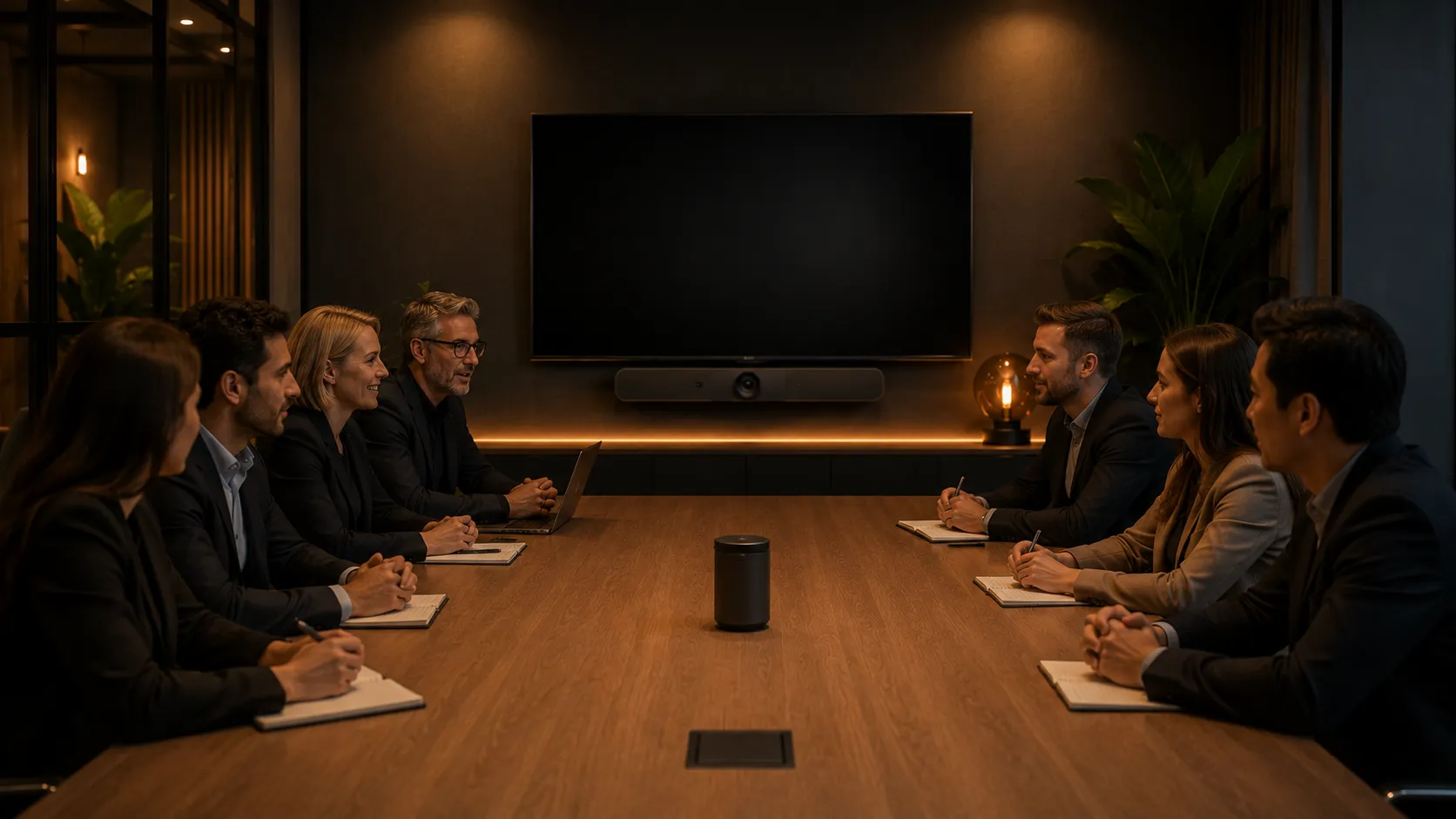
Logitech Sight centre-of-table camera in a collaborative Australian meeting room with Rally Bar mounted on wall
06 — Meeting Equity

Logitech Sight

Medium–large rooms · Centre-of-table camera

Logitech Sight is a centre-of-table camera designed to capture front-on participant angles in longer meeting rooms — solving the "bowling alley" effect where remote participants only see the sides of in-room faces. It requires a Rally Bar or Rally Bar Mini as the primary system and does not function as a standalone device.

  • Centre-of-Table
  • Multi-Angle Capture
  • Requires Rally Bar
  • Meeting Equity
  • AI View Switching
  • Tabletop Form Factor

Sight solves a genuine problem in longer rooms — but it's an ecosystem extension, not a standalone device. We always recommend confirming the room dimensions and seating layout justify the additional investment before adding Sight to a project scope.

Room Solutions

Which Logitech System Fits Your Meeting Room Size?


Quick guide: Rally Bar Mini for huddle rooms, Rally Bar for medium rooms, Rally Bar with expansion mics for boardrooms, Windows compute for training and collaboration spaces.

The right Logitech system depends primarily on room size and participant count — not on which model has the most impressive spec sheet. In the majority of Australian conferencing projects we scope, the room inventory breaks down into four clear tiers, and matching the right Logitech hardware to each tier saves businesses significantly more than standardising on the top model everywhere.
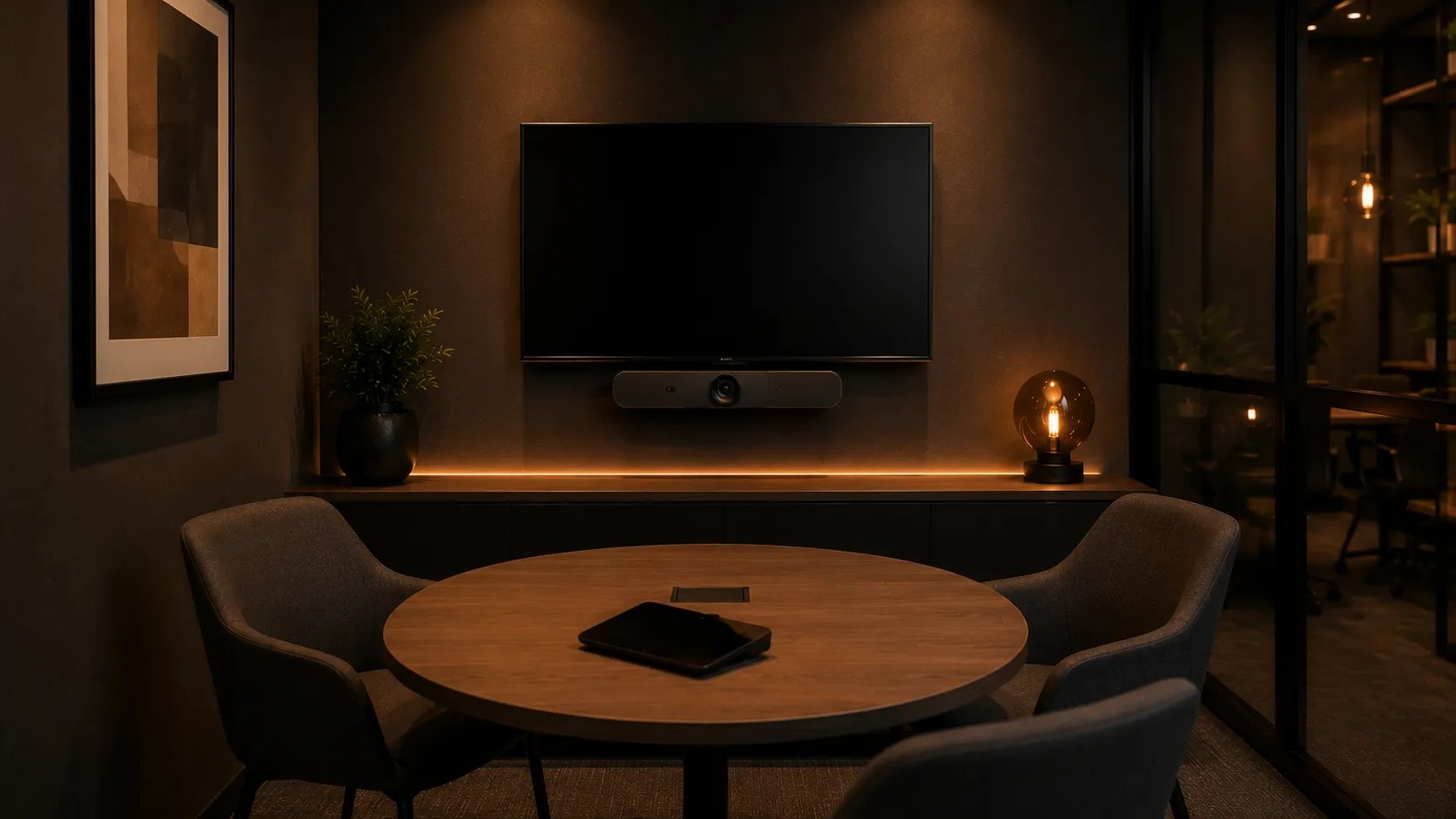
Small huddle room with Logitech video conferencing setup for 2-4 participants
01 — Huddle Spaces

Small Meeting Rooms

1–4 participants

Small huddle rooms and phone-booth style spaces are the most common room type in modern Australian offices — and the easiest to over-specify. A single all-in-one bar handles video, audio and compute without additional hardware.

Recommended Setup

Logitech Rally Bar Mini running Android appliance mode + Tap IP controller

  • All-in-One
  • No Expansion Needed
  • Android Appliance
  • Fastest Deployment

Most huddle rooms need nothing more than a Rally Bar Mini and a controller. The cost saving per room is modest — but across a rollout of 10 or 15 small spaces, it adds up substantially.
Explore small meeting room solutions →
Medium meeting room with Logitech Rally Bar video conferencing for 5-8 participants
02 — Medium Rooms

Medium Meeting Rooms

5–8 participants

The standard meeting room is where Logitech's Rally Bar performs strongest. The wider field of view and dual-camera system cover the full table without needing expansion microphones in most layouts.

Recommended Setup

Logitech Rally Bar running Android appliance mode + Tap IP controller

  • Dual Camera
  • Wider FOV
  • Android Appliance
  • Optional Sight Add-On

In most standard meeting rooms we deploy, Rally Bar in appliance mode covers everything — video, audio, compute and control — without a separate PC. This is the most common Logitech configuration we recommend.
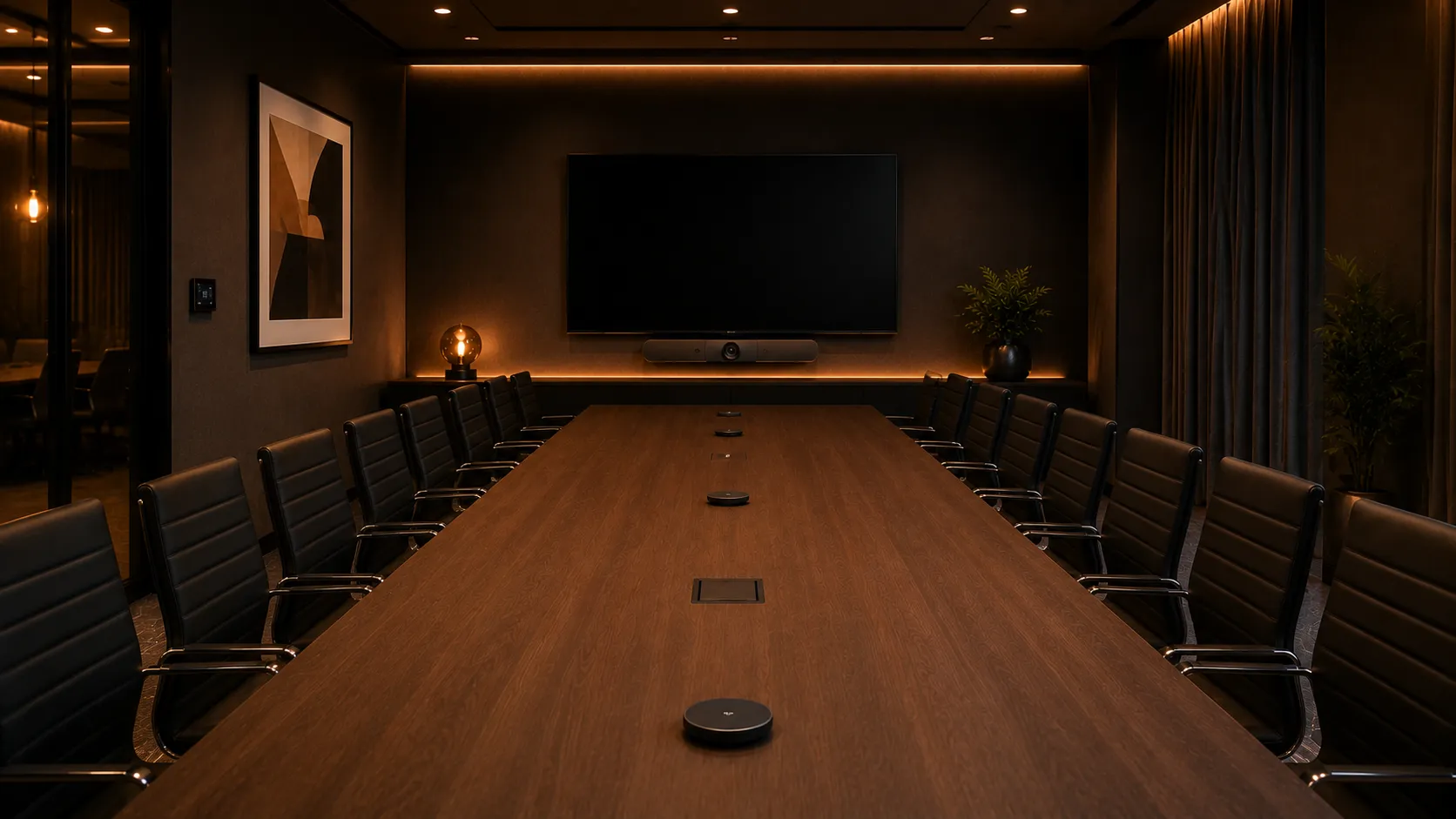
Explore medium meeting room solutions →
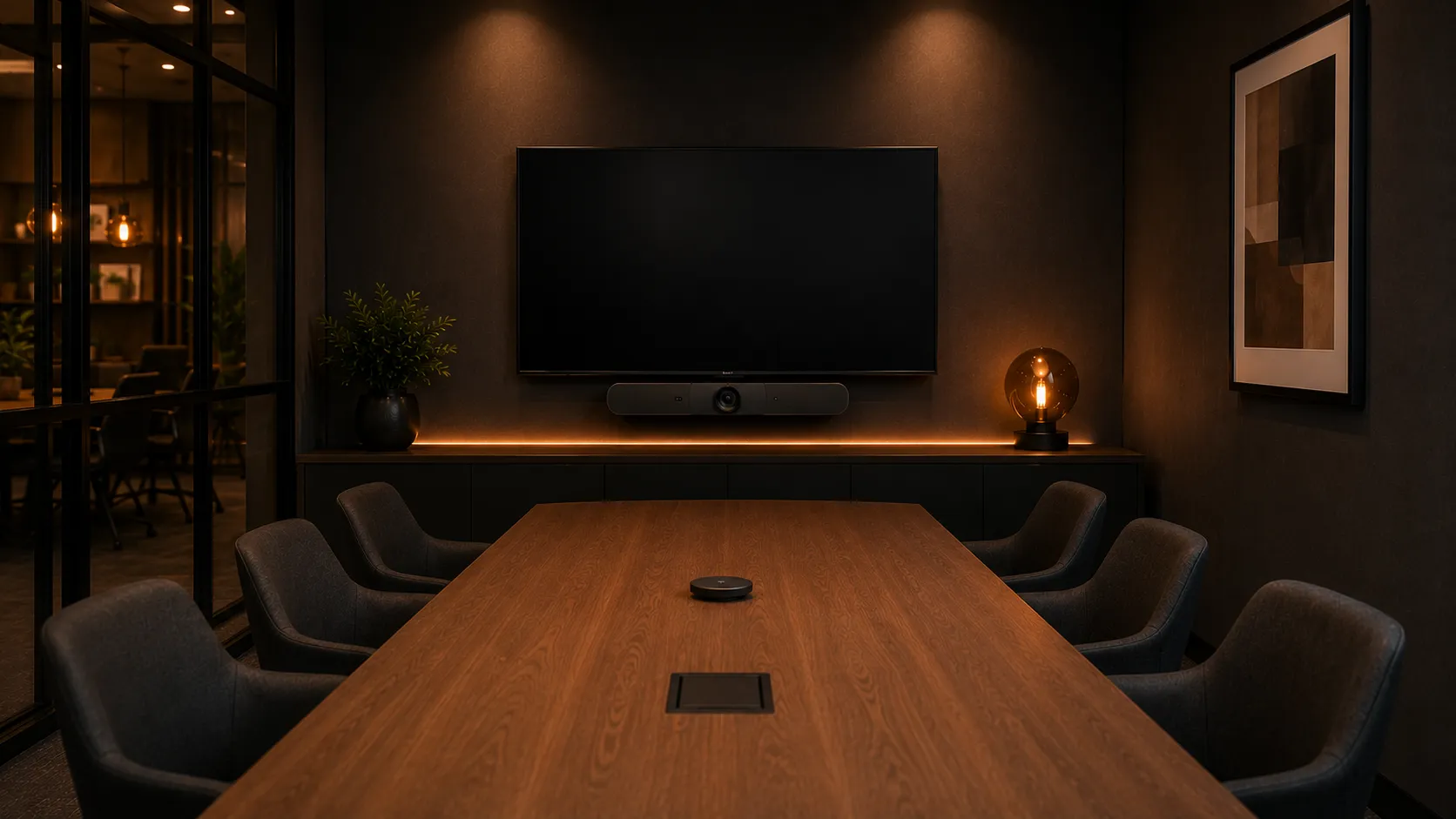
Large boardroom with Logitech Rally Bar and expansion microphones for 10-16 participants
03 — Boardrooms

Large Boardrooms

8–16 participants

Larger boardrooms require expansion microphones to capture participants seated further from the video bar. In rooms longer than about five metres, the built-in microphones on any video bar struggle to pick up voices clearly at the far end of the table.

Recommended Setup

Logitech Rally Bar + Rally Mic Pods + Tap IP controller · Optional: Sight for meeting equity

  • Expansion Microphones
  • Extended Audio Pickup
  • Optional Sight Camera
  • Android or Windows Compute

In larger Australian boardrooms, microphone coverage and room acoustics often become a bigger issue than camera resolution. Getting mic pod placement right during installation is where most of the real performance gain comes from — not upgrading to higher-tier hardware.
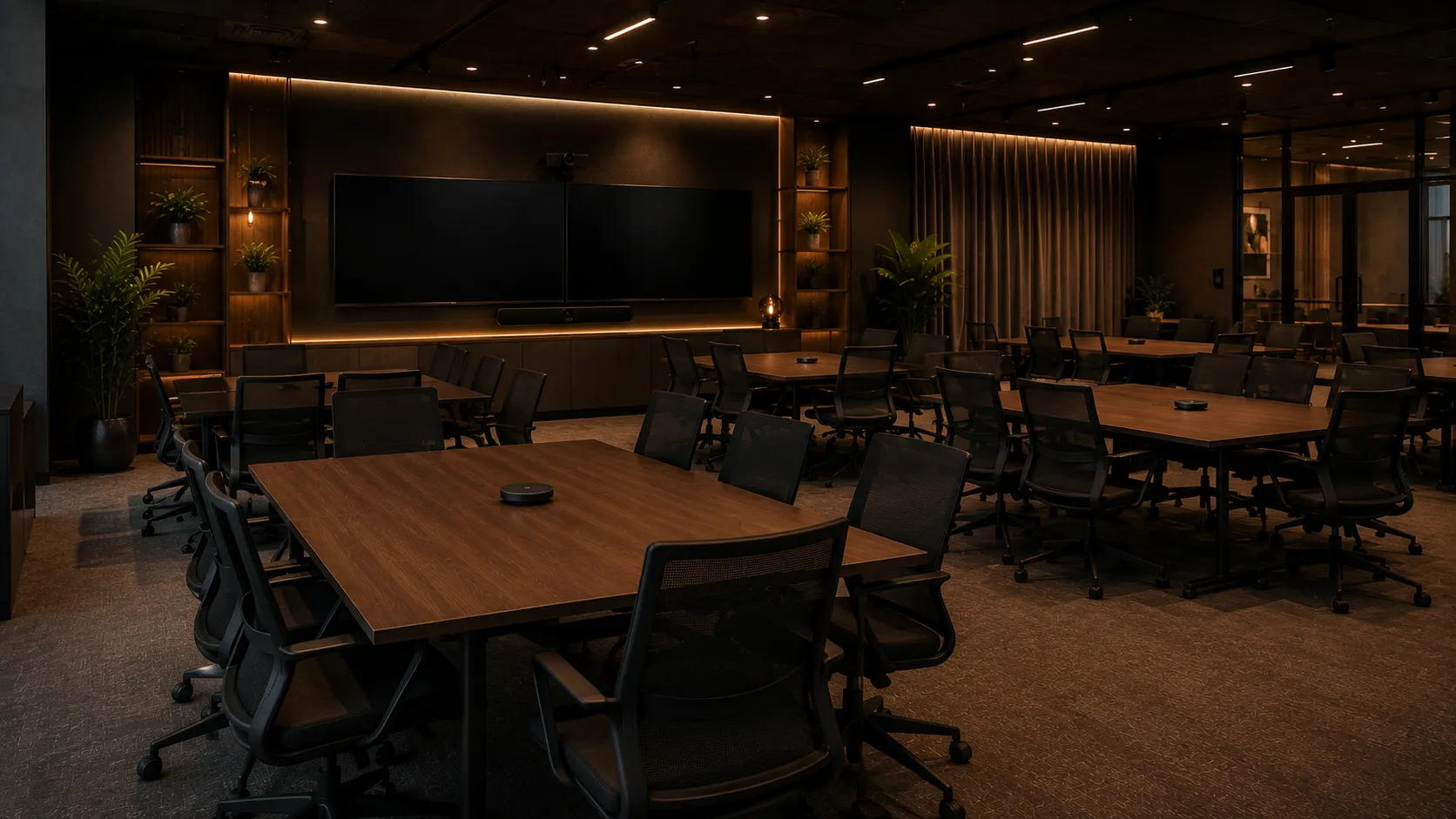
Explore boardroom conferencing solutions →
Training and collaboration space with video conferencing setup for 16 or more participants
04 — Training & Collaboration

Training & Collaboration Spaces

16+ participants

Large training rooms, all-hands spaces and collaboration areas often require a fundamentally different deployment approach. Multi-camera setups, PTZ tracking cameras and external audio processing may be needed — which typically pushes the deployment beyond Android appliance mode into Windows compute territory.

Recommended Setup

Windows compute with Logitech or third-party PTZ cameras + external audio · Consider AVer or Poly PTZ alternatives for very large spaces

  • Windows Compute Required
  • Multi-Camera Options
  • PTZ Tracking
  • External Audio Processing

This is the room type where Logitech's appliance-based ecosystem reaches its practical limits. For very large or complex spaces, we often recommend evaluating PTZ camera solutions from AVer or multi-microphone configurations from Poly alongside — or instead of — a Logitech-only setup.

Explore collaboration space solutions →

The most common pattern we see in Australian multi-site deployments is a mix of Rally Bar Mini in huddle rooms, Rally Bar in standard meeting rooms, and a decision point around the largest boardroom or training space. That final room is where the Android-versus-Windows compute question usually becomes relevant — and it's the one room worth spending extra planning time on.

Many organisations now run a mix of Microsoft Teams Rooms and Zoom Rooms depending on department workflow, client requirements or existing licensing investments. Logitech hardware is certified for both platforms — the deployment architecture stays the same regardless of which platform you choose.

Deployment Architecture

Should You Deploy Logitech in Android Appliance Mode or Windows Compute?


Short answer: Android appliance mode for most standard meeting rooms. Windows compute for large or complex spaces that need multi-camera setups, advanced audio or third-party integrations.

Logitech conferencing systems can run in two fundamentally different deployment modes, and the choice between them affects everything from installation complexity to long-term management overhead. Over the last few years, we've seen a clear shift toward appliance-based deployments for standard meeting rooms across most Australian businesses — primarily because they simplify support overhead and reduce the long-term IT management burden.

Logitech Deployment Mode Comparison — Android Appliance vs Windows Compute
Deployment FactorAndroid Appliance ModeWindows Compute Mode
How it worksThe video bar (Rally Bar or Rally Bar Mini) acts as the computer. Teams Rooms or Zoom Rooms runs directly on the bar's built-in Android OS.A dedicated Windows mini-PC or NUC is connected to the video bar, display and peripherals. Teams Rooms or Zoom Rooms runs on Windows.
Setup complexityMinimal — mount the bar, connect power and network, pair the controller. Typically operational within 15–20 minutes per room.Higher — requires a dedicated PC (often mounted behind the display), Windows OS configuration, domain joining, and endpoint security setup.
Ongoing maintenanceNear-zero — firmware updates managed remotely via Logitech Sync or the Teams/Zoom admin portal. No Windows patches.Standard Windows management — OS updates, security patches, endpoint protection, Active Directory or Intune management overhead.
Camera expansionLimited to a single expansion camera (Logitech Sight). No multi-camera switching support in appliance mode.Full flexibility — multiple cameras, PTZ tracking cameras, advanced view switching between camera sources.
Audio expansionLogitech Rally Mic Pods supported. No external third-party DSP or audio processor integration.Full DSP support — external audio processors, third-party microphone arrays, ceiling microphone integration.
Display configurationSingle or dual display via HDMI. Standard meeting UI layouts.Single, dual or custom display configurations. Advanced UI layouts, content-plus-gallery views, digital signage outside meetings.
BYOD supportConfigurable BYOD passthrough via Tap IP controller or USB-C connection on newer firmware.Full USB-C passthrough. Legacy Logitech Swytch option for older rooms. Greater flexibility for guest laptop connectivity.
Device managementLogitech Sync + Teams Admin Center or Zoom Device Management. Lightweight, cloud-based.Logitech Sync + corporate OS image management + Intune/SCCM or equivalent endpoint management platform.
Typical cost per roomLower — no separate PC purchase, no Windows licensing, reduced cabling and installation time.Higher — additional compute hardware, Windows licensing, more complex cabling, longer installation and configuration time.
Best forStandard meeting rooms, rapid multi-room rollouts, simplicity-first deployments, organisations with limited IT overhead for room management.Large boardrooms, training spaces, multi-camera rooms, advanced audio environments, organisations with existing Windows endpoint management infrastructure.

Where this decision becomes most critical is in organisations rolling out conferencing across multiple rooms simultaneously. Getting the compute architecture right at procurement — rather than discovering mid-deployment that the largest room needs a different approach — avoids the most expensive and disruptive changes we see in real projects.

Many businesses default to appliance mode for every room — and in most cases that's the right call. But in nearly every multi-room deployment we've scoped, there's at least one space where Windows compute becomes necessary. Identifying that room early — usually the largest boardroom or a training space with unusual audio requirements — saves significant cost and disruption compared to retrofitting after installation.

Brand Comparison

Logitech vs Yealink, Poly and Jabra


Logitech's core advantage: Ecosystem maturity, premium industrial design and consistent controller UX across Teams and Zoom. Competitors lead in value (Yealink), acoustics (Poly) and compact spaces (Jabra).

Logitech's primary strength is ecosystem consistency — a unified experience from video bar to touch controller to management portal that feels polished across both Microsoft Teams Rooms and Zoom Rooms. As an independent advisor working across all major conferencing brands, we regularly deploy Logitech alongside Yealink, Poly and other manufacturers — sometimes within the same organisation — depending on room requirements and budget.

Video Conferencing Brand Comparison — Logitech, Yealink, Poly, Jabra and AVer
BrandLogitechYealinkPolyJabraAVer
Core StrengthEcosystem maturity — consistent controller UX, clean industrial design, unified management portalValue & hardware breadth — aggressive multi-camera kits at lower price points, extensive product rangeAcoustic engineering — industry-leading audio blocking, fence technology, microphone clarityCompact spaces — huddle room specialist, excellent small-form-factor systems, strong BYODTraining rooms & PTZ — PTZ camera tracking, large-space solutions, multi-display integration
Product RangeRally Bar Mini, Rally Bar, RoomMate, Tap IP, Sight. Ecosystem-focused, fewer SKUs.MeetingBar A10, A25, A30, A40, A50 — MVC S40, S50, S80, S90, S98, MVC860 — MeetingBoard Pro 65" & 86". Broad range across every room size.G7500, Studio X30, Studio X50, Studio X70, Studio Pro Gen2. Focus on audio-first design.PanaCast 50, PanaCast 20, Evolve2 series. Huddle room and small-space focused.EVC series, M70-4K, CP series for PTZ, integration-heavy for training and large spaces.
Deployment ModelAndroid appliance strength. Windows compute available for complex rooms. Both Teams & Zoom certified.Highly flexible — native Android (MeetingBar range), Windows compute (MVC range), or bring-your-own-compute options. Extensive integration support.Windows-centric with Android options. Strong enterprise management integrations.Android appliance focus with USB modes. Simpler deployment, less complex management.Windows-dominant, PTZ camera control integration, custom room solutions.
Multi-Camera SupportLimited to single expansion (Sight). Android appliance constraint. Windows compute enables more flexibility.Strongest native support — MVC S80, S90 and S98 ship with dual or triple camera configurations. MeetingBar A40 and A50 include multi-lens AI tracking.Moderate — Studio Pro Gen2 can integrate external cameras, but not primary focus.Limited — designed for single camera in compact spaces.Extensive PTZ support — built for multi-camera training and large-space deployments.
Audio & AcousticsVery good beamforming and noise suppression. Rally Mic Pods for larger rooms. Good but not acoustic specialist.Good audio. Flexible microphone pod support. A50 features 16 built-in mics with 10m pickup radius. Adequate for most rooms.Acoustic specialist — industry-leading audio blocking, fence technology, superior microphone clarity in difficult environments.Strong audio in compact spaces. Excellent for small huddle rooms and BYOD scenarios.Adequate audio, often paired with external DSP for large training spaces.
Price PositioningPremium — highest price point in the market. Higher cost per room.Aggressive value — lower price point, more hardware for the dollar, strong multi-room economics.Mid-to-premium — priced for acoustic performance and enterprise management.Competitive — good value in huddle room category.Mid-range — strong value in training and PTZ-focused deployments.
AU Support & SupplyMature — well-established local presence, strong supply chain, responsive support.Excellent — aggressive Australian market focus, good local support, competitive supply chain.Mature — established support, slightly longer support response times in some regions.Good — solid Australian support, responsive to small-space deployments.Good — solid AU presence, strong for training room and integrator channels.
Best-Fit ScenarioStandard meeting rooms, multi-site rollouts, Teams/Zoom standardisation, premium finish requirement, deployment simplicity.Multi-camera rooms, budget-conscious multi-site deployments, complex room layouts, organisations needing hardware flexibility across every room size.Acoustically challenging rooms, audio-first deployments, large spaces with audio complexity, enterprise acoustic specialists.Huddle rooms, small spaces, BYOD-heavy environments, organisations prioritising simplicity over features.Training rooms 16+, PTZ camera tracking, large collaboration spaces, multi-display environments, integrator-led projects.
Key Deployment ConsiderationExcellent appliance-mode coverage for most standard rooms. Windows compute required for very large or complex spaces — consider that ceiling when planning room tiers.Impressive range from entry-level MeetingBar A10 through to the MVC S98 triple-camera flagship. Can lead to over-specifying rooms if not scoped carefully — the range breadth is an advantage only when rooms are properly assessed first.Worth evaluating if audio performance is critical to your room success. Cost premium justified only in acoustically challenging environments.Reliable for what it does (small spaces). Not a solution for boardrooms or training spaces — don't over-stretch Jabra into room types it wasn't designed for.PTZ solutions require more integration planning. Strong for training rooms but significantly more complex than appliance-based approaches for standard meeting rooms.

After 17 years of specifying conferencing hardware for Australian businesses, the clearest pattern we observe is this: Logitech wins consistently in standard meeting rooms where ecosystem consistency, deployment simplicity and a polished controller experience matter most. Yealink wins on value in larger multi-room deployments where per-room cost compounds and hardware flexibility is the primary driver. Poly wins in the acoustically difficult rooms — glass walls, hard surfaces, long reverberant tables — where audio engineering depth justifies a premium. Jabra wins in compact huddle spaces and BYOD-heavy environments where simplicity is the entire brief.

No single brand covers every scenario with the same conviction. The businesses that get the most value from their conferencing investment are the ones that resist the pressure to standardise everything on one brand — and instead let each room determine its own hardware. We have specified Logitech and Yealink in the same building on the same project. We have recommended Poly for a single boardroom inside a Logitech estate. These are not compromises — they are the correct answers when the room is the starting point rather than the brand.

Many organisations now run a mix of Teams Rooms and Zoom Rooms depending on department workflow, client requirements or existing licensing investments. All five brands are certified for both platforms — but Logitech's controller experience feels most consistent across the platform divide. That said, if acoustic performance or multi-camera flexibility is your differentiator, Poly or Yealink may deliver more value per dollar despite the slightly less unified controller experience.

Kickstart stocks all five major conferencing brands and recommends based on what the room actually needs — not brand preference or margin. Each brand page covers deployment reality, room size fit, platform compatibility and honest comparisons from an independent perspective.

From the field

Where Logitech Won and Lost in a Recent Large Office Fitout

It is difficult for us at Kickstart to express a blanket preference for any single conferencing brand — because the honest answer is that the right system depends entirely on the room. But real deployments produce real observations, and this one is worth sharing.

In a recent large office fitout, we ran a detailed side-by-side evaluation of Logitech and Yealink across every room type in the building. The client's priority was performance value — the best meeting experience per dollar across the full estate, not the lowest unit cost and not the most impressive spec sheet.

Yealink came out ahead on value across the majority of rooms. For huddle spaces, standard meeting rooms, and medium boardrooms, the Yealink hardware delivered a comparable meeting experience at a more competitive price point — particularly relevant when you're fitting out a large number of rooms simultaneously and the per-room cost compounds quickly across the estate.

The exception was the main boardroom. The client required a system that could capture every face around a large oval table clearly — not just a wide-angle shot of the room, but individual participants visible to remote attendees in a way that made the video call feel like a real meeting rather than a broadcast. The Logitech Sight centre-of-table camera, combined with the Rally Bar's intelligent view switching, solved this problem in a way that the Yealink configuration at the time could not match.

The boardroom went Logitech. Every other room went Yealink. That was the right outcome for that client — and it is a pattern we see repeated in Australian enterprise deployments more often than any single-brand solution.

Huddle Rooms

Yealink — better value

Comparable experience at a more competitive price point across multiple rooms.

Standard Meeting Rooms

Yealink — better value

Performance matched the Logitech equivalent. Per-room cost advantage compounded significantly across the estate.

Medium Boardrooms

Yealink — better value

Modular architecture suited the room layout. Audio performance was strong in a well-treated space.

Main Boardroom

Logitech — clear winner

Logitech Sight's centre-of-table face capture gave every remote participant a clear view of every person at the table. Yealink could not match this at the time of specification.

"The most commercially intelligent conferencing deployments we've seen in Australian businesses aren't single-brand estates — they're tiered strategies where the room determines the hardware, not the other way around. Logitech earns its place in the rooms where its specific capabilities make the difference. In the rooms where they don't, there is usually a better value option available."

— Kickstart Computers, based on real Australian enterprise deployments. We supply and spec both Logitech and Yealink. Our recommendation follows the room.

Why Kickstart

Why Australian Businesses Choose Kickstart for Logitech Conferencing


Kickstart Computers has been helping Australian businesses navigate conferencing technology since 2007. That journey started with early audio and basic video setups — long before video bars, huddle rooms or AI-powered cameras existed. Through every major technology shift, we've compared brands, deployed systems in real meeting rooms, and learned which decisions hold up long-term and which ones lead to costly replacements.

Independent Advice

We recommend Logitech where it's the right fit — and alternative brands where it isn't. Our advice is based on room requirements and allocated budget, not vendor margin or rebate structures.

Multi-Brand Expertise

We regularly deploy Logitech alongside Yealink, Poly and other manufacturers — sometimes within the same organisation — depending on room requirements and budget. Our advice isn't vendor-locked.

Real-World Deployment

Most of what we know about room suitability and deployment planning came from years of helping businesses compare options within their budget and seeing what actually works six months after installation.

Budget-Conscious Scoping

We help businesses scope conferencing projects within their allocated budget — matching the right hardware tier to each room rather than pushing the most expensive option into every space.

Teams & Zoom Equal Support

Many organisations now run a mix of Microsoft Teams Rooms and Zoom Rooms depending on department workflow, client requirements or existing licensing. We support both platforms equally.

Australia-Wide Support

From Sydney to Perth, Melbourne to Brisbane — we provide delivery, deployment guidance and ongoing support for single-room setups through to national multi-site rollouts.

Our Story

Helping Australian Businesses Navigate Every Conferencing Evolution Since 2007

When Kickstart started in 2007, video conferencing meant Polycom phones and ISDN bridging. We've watched the market evolve through basic video, HD video, cloud-based platforms, huddle rooms, AI-powered systems and hybrid workplaces. Through every shift, we've stayed focused on the same principle: recommend what actually works for each business's specific rooms and budget, not what generates the highest invoice.

That experience means we understand not just what works now, but why certain deployment decisions hold up over time and which ones lead to expensive replacements within a few years.

17+
Years advising Australian businesses
5
Major conferencing brands evaluated
100s
Australian meeting rooms deployed

The conferencing market changes constantly. New hardware arrives, firmware updates change capabilities, platform features shift. What doesn't change is this: the best decision-making happens when you have someone who understands your specific rooms, your budget and your platform — and who will tell you honestly whether a premium option is worth the extra cost or whether a good-enough system will serve you better.

Ready to Choose the Right Logitech System for Your Rooms?

Talk to our conferencing specialists for deployment-aware advice tailored to your specific meeting room inventory and budget. No pressure, no unnecessary upsells — just honest guidance based on 17 years of Australian conferencing experience.

FAQ

Frequently Asked Questions About Logitech Conferencing


The questions we hear most from Australian businesses evaluating Logitech for their meeting rooms. If you don't see your question here, talk to our team.

  • No. Logitech is an excellent choice for standard meeting rooms, multi-site rollouts and businesses that value ecosystem consistency — but it isn't the strongest option for every space. In our experience, acoustically challenging rooms often perform better with Poly hardware, budget-constrained multi-room deployments may benefit from Yealink's pricing structure, and very large training spaces sometimes need PTZ camera solutions from manufacturers like AVer. The right answer depends on your specific room inventory, not on any single brand's marketing.

    See our brand comparison → for how Logitech stacks up against Yealink, Poly and Jabra across different deployment scenarios.

  • For most standard meeting rooms, Android appliance mode provides simpler deployment and lower maintenance overhead. Windows compute is typically needed for larger rooms requiring multi-camera setups, advanced audio processing or third-party integrations. The key is making this decision at procurement time rather than discovering mid-deployment that your largest room needs a different approach.

    Android appliance mode (where the Rally Bar acts as the computer) handles the majority of conference rooms with near-zero IT management. Windows compute introduces a dedicated PC behind the display, providing flexibility at the cost of standard Windows patching and management overhead. Most organisations benefit from appliance mode in most rooms, with Windows compute reserved for their largest or most complex space.

    Read our detailed Android vs Windows deployment guide → for the full comparison table and real-world scenarios.

  • Yes. The Logitech Rally Bar supports Rally Mic Pods that extend audio pickup to cover boardrooms and large meeting rooms with 10 to 16 participants. The satellite microphones sit on the table to capture participants seated further from the video bar — essential for rooms longer than about five metres.

    The expansion microphones work in both Android appliance mode and Windows compute deployments. Getting microphone placement right during installation is critical — it's where most of the real audio performance gain comes from, rather than upgrading to a higher-tier system entirely.

  • Yes. Logitech's Rally Bar, Rally Bar Mini, RoomMate and Tap IP are certified for both Microsoft Teams Rooms and Zoom Rooms. The deployment architecture stays the same regardless of which platform you choose — whether you deploy Android appliance mode or Windows compute, both platforms are supported.

    Many organisations now run a mix of Teams Rooms and Zoom Rooms depending on department workflow, client requirements or existing licensing investments. Logitech's controller experience (Tap IP) feels most consistent across both platforms, which is one of its core strengths.

  • Logitech Sight is a centre-of-table camera designed to capture front-on participant angles in longer meeting rooms — it does not work as a standalone system. It requires a Rally Bar or Rally Bar Mini as the primary system and compute engine.

    Sight solves the "bowling alley" effect in longer boardrooms by placing a camera in the centre of the table, capturing front-on facial angles of all participants rather than just the sides. It's a useful add-on for specific room types, but it's an ecosystem extension rather than a complete conferencing solution. We always recommend confirming the room dimensions and seating layout justify the additional investment before adding Sight to a project scope.

  • It depends on the room. Logitech offers a more polished ecosystem experience with consistent controller UX, while Yealink provides greater hardware breadth and more competitive pricing. For standard meeting rooms where deployment simplicity and ecosystem consistency matter, Logitech is often the stronger choice. For multi-camera rooms or budget-conscious multi-site deployments, Yealink's pricing and hardware flexibility often deliver more value per dollar.

    See our full Logitech vs Yealink comparison → for detailed positioning on both brands.

  • For most huddle rooms and small meeting spaces with up to six participants, the Rally Bar Mini handles video, audio and compute without additional hardware. It's our most commonly recommended system for small spaces.

    The Rally Bar Mini runs natively on Android for Teams Rooms or Zoom Rooms, meaning you mount the bar, connect power and network, pair the controller — and it's operational. No separate compute unit, no Windows management. For organisations deploying across many small rooms, the cost saving per room adds up significantly compared to using a Rally Bar in every space.

  • Yes, with the right configuration. The Rally Bar with expansion microphone pods covers boardrooms with up to 16 participants. The satellite mics sit on the table to capture voices from participants seated at the far end.

    For rooms with more than 16 people or very unusual acoustics, you may need to evaluate alternative approaches — like PTZ camera solutions from AVer or multi-microphone configurations from Poly. But in most Australian boardrooms up to 16 seats, Rally Bar with expansion mics is a solid, mature solution.

  • Kickstart Computers supplies and deploys Logitech conferencing systems Australia-wide — from single-room setups in Sydney offices through to national multi-site rollouts. We provide independent advice on which Logitech system suits your specific meeting room inventory, project management support, and deployment guidance across all Australian states and territories.

    Rather than simply selling hardware, we scope your conferencing needs, recommend the right products for each room type, handle procurement, and provide ongoing support post-deployment. We work with businesses of all sizes — from small Australian firms to national enterprises.

    Contact Kickstart to discuss your Australian conferencing project →

Ready to Choose the Right Logitech System?

Talk to our conferencing specialists for independent, deployment-aware advice tailored to your Australian business and meeting room inventory. No pressure, no unnecessary upsells — just honest guidance from 17 years of real-world conferencing experience.

Shopping Cart
Scroll to Top